Your Workflow, Videos on Autopilot
Keep writing and publishing articles as you do. Video creation and distribution happen automatically alongside your workflow.
Trusted by









Considering automated video production? Our team is ready to guide you.
Contact UsHow It Works
A single API call auto-generates template-based videos
curl -X POST
-H "X-api-key: your-api-key"
-H "X-token: your-access-token"
-H "X-nonce: 1234567890"
-d '{
  "projectId": "your-project-id",
  "injector": {
    "wizard": {
      "title": "Lorem ipsum",
      "source": "url",
      "sourceContent": "https://example.com"
    }
  }
}'Newsroom Automation Workflow
From article selection to distribution, human intervention only when needed
1. Select Articles
Select articles to convert
2. Auto Rendering
Send JSON, render with template
3. Webhook Response
Receive video file link when done
4. Auto Distribution
Upload to YouTube, etc.
✏️ Human-in-the-loop: You can edit each content separately after automation
Why Automation API?
Optimized for newsroom automation
-
⚡
Event-driven
Auto-generate on publish/edit/select events
-
🎨
Template-first
Fixed templates, inject data for consistent branding
-
📈
Scale
Scale from few to batch with same approach
-
📤
Deliverability
Webhook delivery for immediate next automation
-
👤
Human-in-the-loop
Auto rendering complete, human review via editUrl when needed
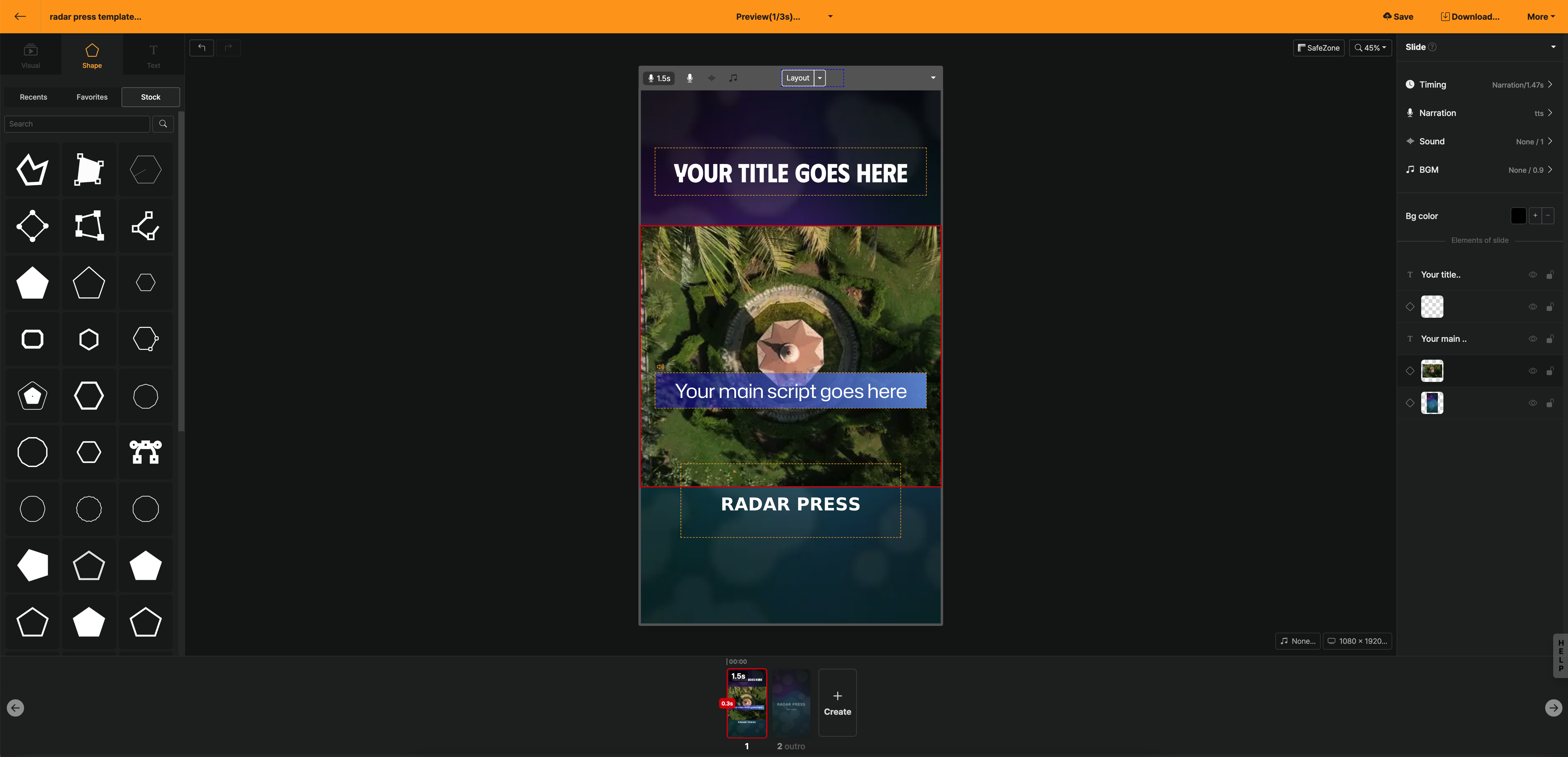
Template-based Automation
Edit templates freely with live preview in the web-based editor
FAQ
FAQs
baseProjectId) and an article URL to POST /api/automations. Videostew parses the article, builds the scenes, and renders the video without anyone opening the editor. API token from your account settings into the Authorization: Bearer header, and send a unique x-nonce value with each request. Always call from your backend so the token is never exposed. webhookUrl and the result is POSTed there on completion or failure. If you poll instead, call the pollUrl from the response every 3 minutes (pollIntervalSeconds) until status is done, then fetch the file from link. webhookUrl and poll the pollUrl included in the response. This is the usual path for AI and LLM automations that have no host to receive a callback. baseProjectId and the logo, colors, fonts, and layout stay fixed while only the data changes. That project must be in the same space or set to public. link you receive on completion and keep it in your own storage.