
Junwoo
2022-04-26 14:55:36
Announcement
Give a whirl on creating dubbed videos by recording your voice directly on our website.
🗞️
[Update] Pick Up Where You Left Off – Seamless Long-Form Rendering is Here! 🚀
Until today, Videostew quietly tapped you on the shoulder when your video hit the plan’s length limit. Not anymore—say hello to the new “Project Merge” update! ...
![[Update] Pick Up Where You Left Off – Seamless Long-Form Rendering is Here! 🚀](https://cdn.videostew.com/files/thumb/323962b5e-7td8vjudu)
🗞️
[Update] Your Personal Dictionary (AI Voice Pronunciation Customization)
Your AI voice keeps butchering that one fancy word? Meet the shiny-new User Dictionary—your pronunciation fairy-godmother! 🪄Check out these real-life hacks:Got ...
![[Update] Your Personal Dictionary (AI Voice Pronunciation Customization)](https://cdn.videostew.com/files/thumb/bf4e93e99-7t74wq86j)
🗞️
[Update] Project Favorites Are Here! 🌟
Your go-to My Template just got a turbo-boost: meet Project Bookmarks! ⚡️Hit the gear icon on any project, drop it into your bookmarks bar, and boom—next time y...
![[Update] Project Favorites Are Here! 🌟](https://cdn.videostew.com/files/thumb/079dab158-7t5owv1w8)
🗞️
[Update] Projects & Library Folders: Finally, a Place for Everything!
Wave goodbye to the chaos—folders have landed to keep your projects and library assets neat, tidy, and downright respectable.Project FoldersNeed a spot for that...
![[Update] Projects & Library Folders: Finally, a Place for Everything!](https://cdn.videostew.com/files/thumb/f7774333b-7t0myy5d6)
📣
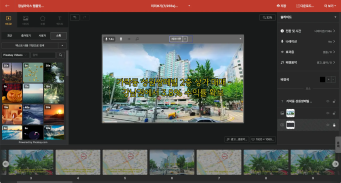
The 50-Something Real-Estate Broker’s Secret to Cranking Out Blog & YouTube Content at the Same Time (Without Losing His Mind)
These days, even real-estate agents are jumping on YouTube to showcase listings and dish out market insights through slick video content.Meet Mr. Tae-yong Ahn f...
🎓
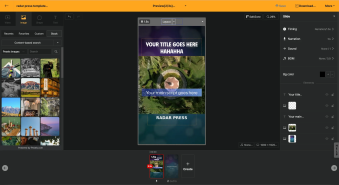
Turn Your Script into a Video: Practical Content Repurposing Hacks
This post is your no-fluff, real-world playbook for turning the flow of your writing straight into repurposed video content. If video production has always felt...
🗞️
[Update] AI Voice Cloning Has Arrived 🎙️✨
1~3분 정도 길이의 목소리 음성 파일로 나만의 TTS를 생성할 수 있는 AI보이스 클로닝 기능이 업데이트되었습니다.AI보이스 > Custom브라우저 상에서 실시간으로 녹음하거나, 미리 녹음된 음성파일을 업로드하여 생성할 수 있습니다.워크스페이스별로 1개의 클로닝 보이스를 생성할 ...
![[Update] AI Voice Cloning Has Arrived 🎙️✨](https://cdn.videostew.com/files/thumb/29d6f68d0-7sb686t98)
🤔
The Video-Editing Sidekick That Slides Right Into Your Workflow: Where Videostew Is Headed
You just hit "publish" on your blog post, but the video keeps getting pushed to the mystical land of “later.” Sound familiar? I’ve lost count of how many market...

A Flexible Voiceover Flow
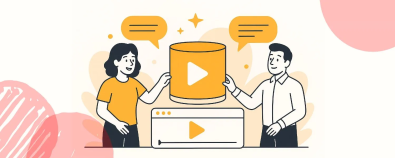
When we were getting ready to launch the voice recording feature on our platform, VideoStew, we had one idea in mind. To design a process so fluid, you could read your well-prepared script and even if you've got some bloopers along the way, you would be able to respond in a heartbeat. Meaning, it's not the one-way process where you have to record from start to finish in one sweep. Instead, we're proposing a flexible flow where you can do-overs or re-record parts anytime.
<video class="ql-video" src="//cdn.VideoStew.com/files/get/766846087-7bl15lhkf" controls=""></video>
With VideoStew, even the recording process becomes enjoyable. With our flexible flow, you are relieved of the pressure of recording and can create your desired quality as fast as possible.
Uh-oh, did I just mumble that line?
While dubbing, you may realize you're not quite satisfied with the line you just recorded. When that happens, don't just say "Ah, I'll have to re-record it later," just hit the button and you can immediately re-record from that slide. No need to force yourself to remember which part to redo or put it off for later.
Easy Re-recording Even During Review
If there's a part that you don't like during a preview, you can directly move to that slide and re-record just that slide. Of course, you can also start from the beginning, using your keyboard to move through each slide, and re-record by hitting the button while listening to it directly.
Presenting a Video Made This Way
<iframe src="https://www.youtube.com/embed/Qk3Ec2GNVhk" allowfullscreen=""></iframe>
The video is produced by the VideoStew team practicing video marketing ourselves. I attempted to enhance credibility by recording my voice, and it's currently showing the best performance among contents with a similar purpose.
Through VideoStew, make your voice-dubbed video conveniently without the need to use multiple complicated programs. Give it a go!