
Junwoo
2022-07-18 22:27:57
University
A Guide on Adding Music to Your Instagram Stories
🎓
Automated Real Estate Video Creation: How to Run a YouTube Channel Using Just Your Blog Posts
When chatting with real estate agents, we often notice a familiar pattern: blog posts are updated daily like clockwork, while their YouTube channels look like g...

🗞️
[Update] From Generating Images to Remixing and Video Creation—All in One Place!
Just double-click any image in the editor, and boom! You can now jump straight into four powerful AI actions.Create a completely fresh image based on your slide...
![[Update] From Generating Images to Remixing and Video Creation—All in One Place!](https://cdn.videostew.com/files/thumb/980c7babf-7x4chx14a)
🤔
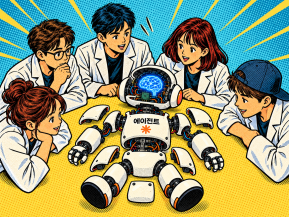
Building an AI Agent from Scratch: Let's Demystify the Magic!
In our previous post, Smart Token-Saving Hacks for AI Agents, we explored quick tips to cut down on tokens right away. This time, we’re peeling back the curtain...
🤔
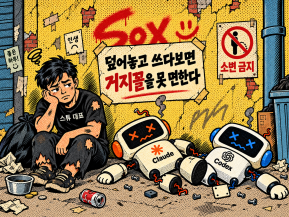
Smart Ways to Save Tokens with AI Agents (Without Losing the Magic)
Must be nice if your company covers your token bills, but for a scrappy startup like ours, token cost-efficiency (or simply surviving the invoice) is practicall...
🤔
Setting Up the Dev & Ops Environment for Our Secret Agents 🚀
At Stew, we're sharing how we set up and utilize our environment for agent-based coding (while continuously supercharging our AI video editor behind the scenes!...

🗞️
[Update] Give Stock and Uploaded Photos an AI Makeover with 'Generative Edit'
You can now refine and reuse the images you already have—no need to toss them out and start over. With the newly added 'Generate Edit' feature, the image curren...
![[Update] Give Stock and Uploaded Photos an AI Makeover with 'Generative Edit'](https://cdn.videostew.com/files/thumb/274c0ca30-7wwu05ktr)
🎓
Why You Pick a Shorts Template, Make Three Videos, Then Never Use It Again
Search for Shorts templates, and you’ll find an endless supply of free options. But after downloading one and making about three videos, many creators find them...

🎓
Automating shorts is easy—getting them consistently great every time is the real challenge
If you search for shorts automation, you’ll find endless workflow tutorials that promise everything at once: script generation, images, voiceover, even upload. ...


So, what's the story with Instagram Stories?
Launched in 2016, Instagram Stories rocketed into the social media world with full-screen vertical posts (9:16 aspect ratio) that vanish after 24 hours, unless saved. They introduced endless possibilities for creativity - stickers, emojis, GIFs...you name it.
In line with a report from the Facebook business page, Instagram Stories is more than just a platform; it's a bridge between friends and families. Several users love the transitory nature of its content and how this ignites the value of the posted material. Better yet, every one in three Instagrammers confessed that a brand or product grabbed their attention via an engaging Instagram Story. Talk about effective marketing!
The Perfect Fit for Instagram Stories
To get your Story looking its best, we recommend sizing it at 1080x1920 pixels - a 9:16 aspect ratio. This is the instant go-to ratio if you're shooting vertically with your handy-dandy smartphone. Your video length should be capped at 15 seconds, but good news - longer clips can be automatically divided into 15-second slices. For images, aim for a 7-second slide per shot. The key is keeping your Story entertaining enough to prevent your audience from hitting the 'skip' button.
Mastering Instagram Stories: Tips from the official site
Bombas
By strategically using the platform, Bombas achieved a 2.4X higher conversion rate. Want to delve deeper? Read more about the Bombas campaign on Instagram Stories’ official page.
Chameleon Cold Brew
They saw a 3.3X boost in brand awareness after running a video ad on Instagram Stories. Intrigued? Explore more details about this winning campaign here.
Doritos
In a playful twist, Doritos leveraged users' engagement by incorporating a game of "rock paper scissors" into their ad. Here’s how this approach stirred up some snacktastic awareness.
Stories that Sing - Creating Instagram Stories with Background Music
There's a myriad of online video makers to help you create banging Instagram Stories. But our top pick? VideoStew. It shines when creating text-based video content, complemented with product images, and not forgetting, a free background music library that’s Instagram-Story perfect. Just choose your desired story size, type in your message, and add an image. Simple as that.