
Junwoo
2022-10-04 13:48:08
University
[Creating Video with Various Solutions] 4. Video editing with PowerPoint
🎓
Why You Pick a Shorts Template, Make Three Videos, Then Never Use It Again
Search for Shorts templates, and you’ll find an endless supply of free options. But after downloading one and making about three videos, many creators find them...

🎓
Automating shorts is easy—getting them consistently great every time is the real challenge
If you search for shorts automation, you’ll find endless workflow tutorials that promise everything at once: script generation, images, voiceover, even upload. ...

🎓
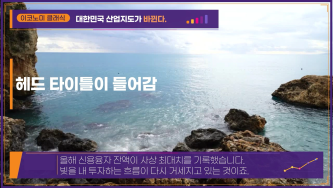
Before You Pick an AI Video Editor, Decide *What* You Actually Want to Make
When you read those “Top 5 AI video makers” listicles, they usually bundle all the trendy tools together, compare pros and cons, and highlight key features.But ...
🎓
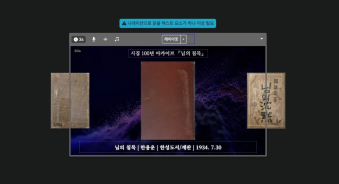
These days, I’m running Videostew with a little help from Claude Code
Recently, we landed a pretty big gig with our VX production service. To celebrate the opening of the Manhae Museum, we’re creating a full digital video archive ...
🎓
AI Video Creation Isn’t a Tool Problem: Where Creators Actually Get Stuck (and How to Break Through)
By the time you’ve landed on this post, you’ve probably read your fair share of “Top AI Video Tools” articles. You’ve seen everything from clip-generation servi...

🎓
Why Your Newsroom’s YouTube Channel Is Packed with Articles—but Starving for Videos
When we talk with our media clients, we hear the same thing again and again."We opened our YouTube channel two years ago, but we still don’t even have 10 videos...
🎓
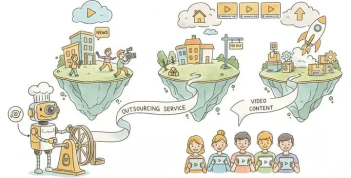
Before You Outsource Your Corporate Video, Read This First!
If you’re working as a marketer in a company, you’ve probably experienced moments like this: someone from the top casually says, “Shouldn’t we be doing YouTube ...
🎓
Are You Sure You’re Even Choosing the Right Type of “Free Video Site”?
You want to start making video content, but you’ve got no budget and monthly fees for paid tools feel a bit painful. So you search for “free video sites” and… i...

Welcome back to our video creation solution comparison series. The fourth solution we'll introduce is none other than PowerPoint. Is it possible to produce a video with PowerPoint, you ask? Yes, (
although it takes a bit of effort) it is feasible.PowerPoint offers surprisingly powerful animation features. In fact, one YouTuber I admire produces impressive videos purely using PowerPoint. (
Cue the chills)<iframe src="https://www.youtube.com/embed/FHrCqiYt6xY" allowfullscreen=""></iframe>
Of course, my attempt at a video will be a simple short-form one, so I'll dive in with a light heart.
I'll try to recreate the video below with PowerPoint. This video was made via VideoStew’s text-to-video (TTV) mode, and you can check out the detailed production process through this blog post.
<iframe src="https://www.youtube.com/embed/RVIJRKk6c6c" allowfullscreen=""></iframe>
Creating a Step-by-Step Short-form Video Using PowerPoint
Setting Slide Size</h