
Junwoo
2022-10-13 15:58:38
Announcement
Upload Your Edited Videos Directly to YouTube!
🎓
AI Video Creation Isn’t a Tool Problem: Where Creators Actually Get Stuck (and How to Break Through)
By the time you’ve landed on this post, you’ve probably read your fair share of “Top AI Video Tools” articles. You’ve seen everything from clip-generation servi...

🎓
Why Your Newsroom’s YouTube Channel Is Packed with Articles—but Starving for Videos
When we talk with our media clients, we hear the same thing again and again."We opened our YouTube channel two years ago, but we still don’t even have 10 videos...
🗞️
[Update] Effortless Video Creation with Just an Account API Token – No SDK Needed
What’s NewPreviously, using the Automation API meant you had to go through the hassle of creating a separate SDK. Now, you can jump straight into auto-generatin...
![[Update] Effortless Video Creation with Just an Account API Token – No SDK Needed](https://cdn.videostew.com/files/thumb/9a371f670-7vcfraxg8)
🗞️
[Update] AI Video Clip Generation Feature
You can now generate AI video clips in Videostew using nothing but a text prompt.In your Library, go to the Visual tab, choose the AI Video category, then click...
![[Update] AI Video Clip Generation Feature](https://cdn.videostew.com/files/thumb/a0de300fe-7vbjxvbd6)
🗞️
[Update] Large File Uploads for Your Videos
Videostew now lets you upload large video files up to 1GB.Previously, you were limited to 250MB per upload, so you had to manually split your video into smaller...
![[Update] Large File Uploads for Your Videos](https://cdn.videostew.com/files/thumb/36cb53236-7v6dmsmeg)
🎓
Before You Outsource Your Corporate Video, Read This First!
If you’re working as a marketer in a company, you’ve probably experienced moments like this: someone from the top casually says, “Shouldn’t we be doing YouTube ...
🗞️
[Update] Create Podcast-Style Videos in a Snap
A new writing style, the Podcast Format, has just been added to Videostew.When you select the podcast format in either [Start from an idea] or in Polishing mode...
![[Update] Create Podcast-Style Videos in a Snap](https://cdn.videostew.com/files/thumb/133403bd4-7v2jle8ng)
🎓
Are You Sure You’re Even Choosing the Right Type of “Free Video Site”?
You want to start making video content, but you’ve got no budget and monthly fees for paid tools feel a bit painful. So you search for “free video sites” and… i...
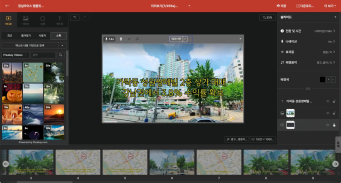

Now you can upload the videos you've extracted directly to your YouTube channel!
Not only does it remove the process of downloading and re-uploading the video file, but it also allows you to integrate the title, text description, and tags all at once, making the upload process incredibly convenient.
Shall we take a step-by-step look at how to do it?
First, Extract Your Video
Because VideoStew is a web-based service, it always has to go through the server rendering process to create a video file. When you've finished your work, just go to [Download > Extract].
When it shows "Requested", it means we're working hard on the server end to create your video file. Just wait a bit and the [Download] button will be activated.
Now Pay Attention to the YouTube Icon!
When your video file is ready to download, you'll see the YouTube icon displayed in the top right corner. You can click this magical little button and go directly to YouTube for the upload. Fill in the title, description, and then click the YouTube logo in the right-bottom and you're on your easy-peasy uploading adventure.
We Need Your Authorization for Upload
The first time around, you'll need to give VideoStew permission to upload. Just select the channel you want to link to and click [Agree], as shown in the picture below.
Finish up in YouTube Studio
The video is uploaded in a private mode. Once the upload completes successfully, an alert window like the one below will show up. From here, you can go to [YouTube Studio] to finish up.
At the moment, we're at the basic stage where we only offer video upload. But don't worry, we're planning to upgrade features like thumbnail and automatic text descriptions, among others. Also, we'll continue to explore your favorite channels (wink wink), and expand our integration capabilities to other channels like Instagram and TikTok.
Your continued interest is highly appreciated!