
Junwoo
2023-10-23 21:46:34
Announcement
[Product Update] Shift of Automatic Slide Splitting to Text Animation—A Guided Approach Has Arrived!
🎓
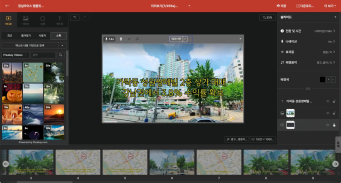
Are You Sure You’re Even Choosing the Right Type of “Free Video Site”?
You want to start making video content, but you’ve got no budget and monthly fees for paid tools feel a bit painful. So you search for “free video sites” and… i...
🗞️
If You’re a Media Company, Don’t Miss This 2026 Public Infrastructure Support Project: How to Use NewsTTV/News Images for Free
The Korea Press Foundation has opened applications for its 2026 News Content Shared Infrastructure Support Program. The application deadline is Wednesday, April...

🎓
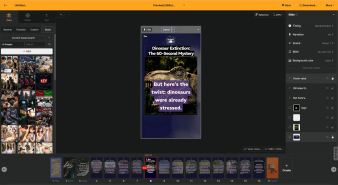
Video-Editing AI: Now the Real Work Is Picking One — 3 Battle-Tested Criteria for Pros
These days, the market is flooded with AI video-editing tools.Sora, Veo, Runway, Kling, Vrew, Videostew, Canva, InVideo… the list is so long you’ll need an oxyg...
🗞️
[Update] Real-Time Preview Just Got a Major Glow-Up! ✨
Videostew now serves both full-sequence and slice-only real-time previews.In this update we chased down every last micro-flicker that used to flash when slides ...
![[Update] Real-Time Preview Just Got a Major Glow-Up! ✨](https://cdn.videostew.com/files/thumb/c3a6aa61a-7usmpepg7)
🗞️
[Update] Image motion (Ken Burns) effect is now turned on by default—let your stills steal the show! 📸✨
Until now, if you wanted to make a still image slide, zoom, or pan, you had to hunt for the Ken Burns switch and flip it yourself.Not anymore. From today, the m...
![[Update] Image motion (Ken Burns) effect is now turned on by default—let your stills steal the show! 📸✨](https://cdn.videostew.com/files/thumb/a85c364c7-7uoqak9w3)
🗞️
[Update] AI Sticker Icon Generation Feature
The AI sticker image generation feature is now live! You can now create the perfect sticker images to match any context, whether you're feeling quirky, creative...
![[Update] AI Sticker Icon Generation Feature](https://cdn.videostew.com/files/thumb/5b07ea0af-7ueeitewk)
🗞️
[Update] Sharper Images & Vanishing Backgrounds: Image Upscaling & BG-Removal Just Leveled Up! ✨
File Editor just leveled up—say hello to sharper upscales and cleaner background removal.Open any image in your library, hit “File Editor,” and watch your still...
![[Update] Sharper Images & Vanishing Backgrounds: Image Upscaling & BG-Removal Just Leveled Up! ✨](https://cdn.videostew.com/files/thumb/5344bad0c-7u7f8x3g9)
🎓
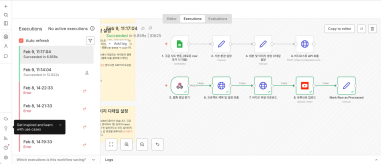
Just paste a news link and watch YouTube Shorts upload itself! (Videostew API & n8n combo guide)
Hey there! 🎬 In this post we’re wiring up Videostew with the no-code ninja n8n so you can paste a news URL, grab a coffee, and watch the magic: video rendered ➜...

We've made a slight change to how you display large amounts of text on a single slide due to a new feature addition.
Instead of seeing "Automatic Slide Splitting" right after text element selection, it has now been adjusted to a sub-menu under "Animation."
This was a necessary step towards further development of text animation...In addition to the existing "Replacement" that displays one line at a time, a new effect which adds and reveals one line at a time has been added. Ta-da!
For a detailed explanation and application examples of the "units" in text animation, you can check out the guide document.