
Junwoo
2022-11-24 11:50:11
Announcement
[Product Update] Trim Your Videos Exactly How You Want with Our Improved Video Editing Function
🗞️
[Update] AI Video Clip Generation Feature
You can now generate AI video clips in Videostew using nothing but a text prompt.In your Library, go to the Visual tab, choose the AI Video category, then click...
![[Update] AI Video Clip Generation Feature](https://cdn.videostew.com/files/thumb/a0de300fe-7vbjxvbd6)
🗞️
[Update] Large File Uploads for Your Videos
Videostew now lets you upload large video files up to 1GB.Previously, you were limited to 250MB per upload, so you had to manually split your video into smaller...
![[Update] Large File Uploads for Your Videos](https://cdn.videostew.com/files/thumb/36cb53236-7v6dmsmeg)
🎓
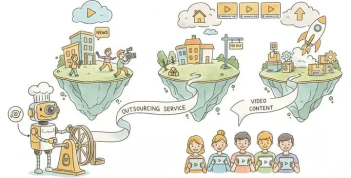
Before You Outsource Your Corporate Video, Read This First!
If you’re working as a marketer in a company, you’ve probably experienced moments like this: someone from the top casually says, “Shouldn’t we be doing YouTube ...
🗞️
[Update] Create Podcast-Style Videos in a Snap
A new writing style, the Podcast Format, has just been added to Videostew.When you select the podcast format in either [Start from an idea] or in Polishing mode...
![[Update] Create Podcast-Style Videos in a Snap](https://cdn.videostew.com/files/thumb/133403bd4-7v2jle8ng)
🎓
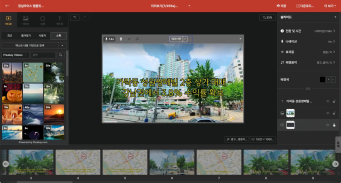
Are You Sure You’re Even Choosing the Right Type of “Free Video Site”?
You want to start making video content, but you’ve got no budget and monthly fees for paid tools feel a bit painful. So you search for “free video sites” and… i...
🗞️
If You’re a Media Company, Don’t Miss This 2026 Public Infrastructure Support Project: How to Use NewsTTV/News Images for Free
The Korea Press Foundation has opened applications for its 2026 News Content Shared Infrastructure Support Program. The application deadline is Wednesday, April...

🎓
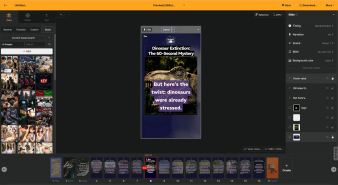
Video-Editing AI: Now the Real Work Is Picking One — 3 Battle-Tested Criteria for Pros
These days, the market is flooded with AI video-editing tools.Sora, Veo, Runway, Kling, Vrew, Videostew, Canva, InVideo… the list is so long you’ll need an oxyg...
🗞️
[Update] Real-Time Preview Just Got a Major Glow-Up! ✨
Videostew now serves both full-sequence and slice-only real-time previews.In this update we chased down every last micro-flicker that used to flash when slides ...
![[Update] Real-Time Preview Just Got a Major Glow-Up! ✨](https://cdn.videostew.com/files/thumb/c3a6aa61a-7usmpepg7)

We've made improvements to our video trimming functionality
We have prepared a short introductory video allowing you to see firsthand how to utilize the feature.
<iframe src="https://www.youtube.com/embed/qA9D2glfDiI" allowfullscreen=""></iframe>
How to Use the Trimming Feature in VideoStew
In most video editing tools, you insert your original video and put subtitles wherever needed. However, think of VideoStew as a platform that presents the video pieces that match the subtitles you've prepared in advance. Piece of cake, right?
How to use
Other Exciting Updates