
Junwoo
2024-04-17 15:23:55
University
Mastering the "cref" parameter for MidJourney Character Consistency (feat. Creating a Spooky YouTube Short)
🤔
Before you get a quote for one AI video, ask yourself this: "How many times will I want to repeat this?"
The first message we usually get from people asking about AI video outsourcing is almost always the same. It all boils down to one question: “How much is it?” I...

📣
How a Franchise Café Automated Its Digital Signage Videos (and Saved a Lot of Time)
Running Videostew has given us a front-row seat to the challenges faced by potential customers across all kinds of industries.And there’s one topic that always ...

📣
How We Turned a Pile of Blog Posts into a Flood of Shorts: Automation for Speed, Humans for Quality!
This is a story from one of our VX service clients—a hotel based in Yeoju that runs a blog to promote their property.They had already published over 200 blog po...

🗞️
[Update] Instantly generate multiple slides with AI right from the slide editor ✨
You can now generate AI content for multiple slides directly in the Videostew editor. Just pick the element you’re editing, choose whether you want an image, vi...
![[Update] Instantly generate multiple slides with AI right from the slide editor ✨](https://cdn.videostew.com/files/thumb/f72020c7f-7vp6h1rc0)
🎓
These days, I’m running Videostew with a little help from Claude Code
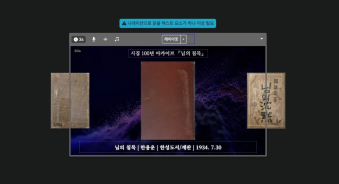
Recently, we landed a pretty big gig with our VX production service. To celebrate the opening of the Manhae Museum, we’re creating a full digital video archive ...
🎓
AI Video Creation Isn’t a Tool Problem: Where Creators Actually Get Stuck (and How to Break Through)
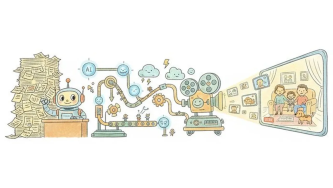
By the time you’ve landed on this post, you’ve probably read your fair share of “Top AI Video Tools” articles. You’ve seen everything from clip-generation servi...
🎓
Why Your Newsroom’s YouTube Channel Is Packed with Articles—but Starving for Videos
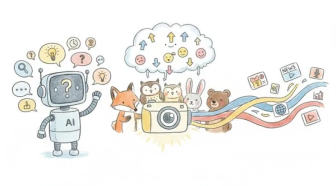
When we talk with our media clients, we hear the same thing again and again."We opened our YouTube channel two years ago, but we still don’t even have 10 videos...
🗞️
[Update] Effortless Video Creation with Just an Account API Token – No SDK Needed
What’s NewPreviously, using the Automation API meant you had to go through the hassle of creating a separate SDK. Now, you can jump straight into auto-generatin...
![[Update] Effortless Video Creation with Just an Account API Token – No SDK Needed](https://cdn.videostew.com/files/thumb/9a371f670-7vcfraxg8)

Great news for all MidJourney users! A new consistency parameter has been added to help maintain the same facial features across various poses and expressions of your characters.
Generative AI services like MidJourney, known for their randomness, require complex methods to maintain consistency—something we’ve touched on in our previous VideoStew blog post.
We put this update to the test to quench our thirst (?) for character consistency.
Creating a Key Character (Reference Image)
Initially, we created a main character. Oh, and by the way, MidJourney has recently unveiled a web interface that allows image generation without needing Discord. (
It is still in alpha phase and only available to heavy users.)< MidJourney Web Interface >
We started by generating a reference image with the following prompt:
The images generated were interesting, and we chose the second image to upscale for better resolution.
By right-clicking and copying the image address, the prep work for the reference image was completed.
Creating Image Variations
We then put our rapper in different scenarios and poses to test his versatility.
We used the following prompt with the --cref [reference image address] at the end of the prompt:
The results were quite satisfying.
< Our rapper reading at home >
It's also good to know about
--cw(character weight). Without specifying, the default is--cw 100, which tries to retain all attributes of the reference. However, with--cw 0, we experimented again:--cwvalue was set to 0, significantly altering the tattoos, hats, and other attributes except the face.< Rapper with changed outfit and tattoos >
Can Character Consistency Be Used in Webtoon Production?
Since the basic functionality of the character consistency parameters worked, we quickly tried it out for webtoon production:
Out of the four results, we upscaled the second image and planned to try various poses and settings.
< Reference image in webtoon style >
We simplified the prompt to just “a lady” while applying the
--cref.The result was a photorealistic version of the webtoon character, same style, same outfit, definitely the same person. Is this the real-life version of a webtoon character?
< The real-life webtoon girl appears>
Rechallenging with the Core Prompt
So, we tried again, maintaining the prompt but using the
--crefto create an image of the protagonist sitting on a bus—and it was a huge success!< The protagonist tearing out of and into the comics >
What if Two Characters Appear?
The prospect of using this for webtoons or storytelling is becoming more intriguing. What if we tried creating an image of a girl chatting with her boyfriend at a café?
Wow, one out of four was a success, but strange images of clone-like characters chatting were generated.
We tried the Rerun function to regenerate 8 images. The result? It was disastrous…
Trying Style Consistency Prompts
If
crefhelps maintain character consistency,srefmaintains stylistic consistency.We attempted to create a scene with a horrifying atmosphere in a Korean comics style. First, we generated a terrifying setting:
After copying the address of the first reference image:
Then we applied both reference images together.
The result? A success! Our protagonist was created running in fear on a subway platform in the desired style.
Although the prompt was about fear and fleeing, it serendipitously played in our favor. Can we maintain the horrific style while depicting our Korean college student smiling and drinking coffee in a park?
Yes, it worked! The original color palette and feel of the style reference clearly manifested, even though the expression was smiling.
Creating Spooky YouTube Shorts
Building on our experiments, there’s potential to create a horror short. Simple scary stories were requested from GPT, and each matching image used the style and character consistency parameters.
The result after putting everything together on VideoStew?
Combine haunting background music and a suitable AI voice, and voila—a decent quality video is easily crafted. Preparing the required images for each sentence beforehand made the process incredibly fast.
So, what's the verdict?
Using
crefandsreftogether, it’s feasible to maintain graphic style and face consistency for single-character content production. However, for story progression that requires multiple characters, this still seems challenging. Combining it with the methods used in the past (refer to our past MidJourney Character Consistency Posting) might work to some extent, but don’t get your hopes too high. With generative AI services evolving daily, let's hope for an update that handles multi-character consistency next time!