
Junwoo
2022-12-22 14:43:51
Tutorial
Create a stunning Christmas video letter with just text input!
🗞️
[Update] Give Stock and Uploaded Photos an AI Makeover with 'Generative Edit'
You can now refine and reuse the images you already have—no need to toss them out and start over. With the newly added 'Generate Edit' feature, the image curren...
![[Update] Give Stock and Uploaded Photos an AI Makeover with 'Generative Edit'](https://cdn.videostew.com/files/thumb/274c0ca30-7wwu05ktr)
🎓
Why You Pick a Shorts Template, Make Three Videos, Then Never Use It Again
Search for Shorts templates, and you’ll find an endless supply of free options. But after downloading one and making about three videos, many creators find them...

🎓
Automating shorts is easy—getting them consistently great every time is the real challenge
If you search for shorts automation, you’ll find endless workflow tutorials that promise everything at once: script generation, images, voiceover, even upload. ...

🎓
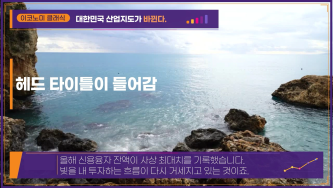
Before You Pick an AI Video Editor, Decide *What* You Actually Want to Make
When you read those “Top 5 AI video makers” listicles, they usually bundle all the trendy tools together, compare pros and cons, and highlight key features.But ...
🤔
Before you get a quote for one AI video, ask yourself this: "How many times will I want to repeat this?"
The first message we usually get from people asking about AI video outsourcing is almost always the same. It all boils down to one question: “How much is it?” I...

📣
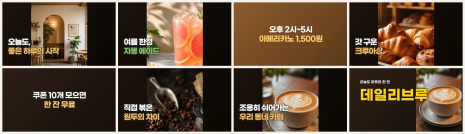
How a Franchise Café Automated Its Digital Signage Videos (and Saved a Lot of Time)
Running Videostew has given us a front-row seat to the challenges faced by potential customers across all kinds of industries.And there’s one topic that always ...
📣
How We Turned a Pile of Blog Posts into a Flood of Shorts: Automation for Speed, Humans for Quality!
This is a story from one of our VX service clients—a hotel based in Yeoju that runs a blog to promote their property.They had already published over 200 blog po...

🗞️
[Update] Instantly generate multiple slides with AI right from the slide editor ✨
You can now generate AI content for multiple slides directly in the Videostew editor. Just pick the element you’re editing, choose whether you want an image, vi...
![[Update] Instantly generate multiple slides with AI right from the slide editor ✨](https://cdn.videostew.com/files/thumb/f72020c7f-7vp6h1rc0)

We've prepared a Christmas video letter template for you.
Try making a Christmas video letter on VideoStew now. With our splendid animations, you can rise to the rank of video-making maestro.
<iframe src="https://www.youtube.com/embed/vl8S3IvfHEc" allowfullscreen=""></iframe>
How to Create a Christmas Video Letter Step-by-Step
Step 1: Start a new project and input your desired content
Select [Body Text] and naturally write your message in the text input field. You can enter up to 5,000 characters.
Step 2: Select the Christmas template through [Load Template] and press the Complete button.
Skip the step of choosing stock videos by pressing [Next], then click on [Final settings] > [Load from template] at the top left and select the Christmas template that appears first.
Step 3: Please preview once and download the video.
Use line breaks to adjust what content is visible at once. Once you've finished all your desired edits, please render through [Download] > [Download Request]!
Step 4: Share the URL with your friends!
You can copy the share URL through [More] > [Share]! Paste it in messengers like KakaoTalk and flaunt your self-made Christmas video letter!