
Junwoo
2022-04-26 14:55:36
Announcement
Give a whirl on creating dubbed videos by recording your voice directly on our website.
🗞️
[Update] Effortless Video Creation with Just an Account API Token – No SDK Needed
What’s NewPreviously, using the Automation API meant you had to go through the hassle of creating a separate SDK. Now, you can jump straight into auto-generatin...
![[Update] Effortless Video Creation with Just an Account API Token – No SDK Needed](https://cdn.videostew.com/files/thumb/9a371f670-7vcfraxg8)
🗞️
[Update] AI Video Clip Generation Feature
You can now generate AI video clips in Videostew using nothing but a text prompt.In your Library, go to the Visual tab, choose the AI Video category, then click...
![[Update] AI Video Clip Generation Feature](https://cdn.videostew.com/files/thumb/a0de300fe-7vbjxvbd6)
🗞️
[Update] Large File Uploads for Your Videos
Videostew now lets you upload large video files up to 1GB.Previously, you were limited to 250MB per upload, so you had to manually split your video into smaller...
![[Update] Large File Uploads for Your Videos](https://cdn.videostew.com/files/thumb/36cb53236-7v6dmsmeg)
🎓
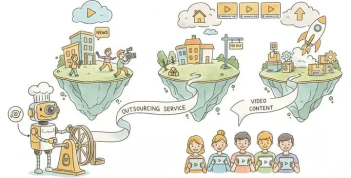
Before You Outsource Your Corporate Video, Read This First!
If you’re working as a marketer in a company, you’ve probably experienced moments like this: someone from the top casually says, “Shouldn’t we be doing YouTube ...
🗞️
[Update] Create Podcast-Style Videos in a Snap
A new writing style, the Podcast Format, has just been added to Videostew.When you select the podcast format in either [Start from an idea] or in Polishing mode...
![[Update] Create Podcast-Style Videos in a Snap](https://cdn.videostew.com/files/thumb/133403bd4-7v2jle8ng)
🎓
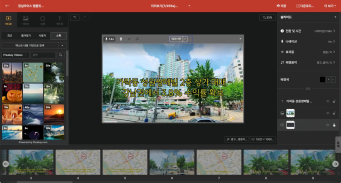
Are You Sure You’re Even Choosing the Right Type of “Free Video Site”?
You want to start making video content, but you’ve got no budget and monthly fees for paid tools feel a bit painful. So you search for “free video sites” and… i...
🗞️
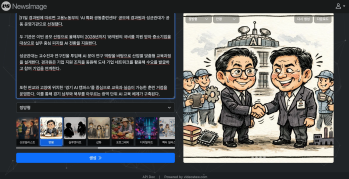
If You’re a Media Company, Don’t Miss This 2026 Public Infrastructure Support Project: How to Use NewsTTV/News Images for Free
The Korea Press Foundation has opened applications for its 2026 News Content Shared Infrastructure Support Program. The application deadline is Wednesday, April...
🎓
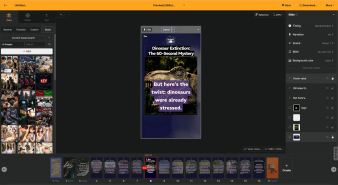
Video-Editing AI: Now the Real Work Is Picking One — 3 Battle-Tested Criteria for Pros
These days, the market is flooded with AI video-editing tools.Sora, Veo, Runway, Kling, Vrew, Videostew, Canva, InVideo… the list is so long you’ll need an oxyg...

A Flexible Voiceover Flow
When we were getting ready to launch the voice recording feature on our platform, VideoStew, we had one idea in mind. To design a process so fluid, you could read your well-prepared script and even if you've got some bloopers along the way, you would be able to respond in a heartbeat. Meaning, it's not the one-way process where you have to record from start to finish in one sweep. Instead, we're proposing a flexible flow where you can do-overs or re-record parts anytime.
<video class="ql-video" src="//cdn.VideoStew.com/files/get/766846087-7bl15lhkf" controls=""></video>
With VideoStew, even the recording process becomes enjoyable. With our flexible flow, you are relieved of the pressure of recording and can create your desired quality as fast as possible.
Uh-oh, did I just mumble that line?
While dubbing, you may realize you're not quite satisfied with the line you just recorded. When that happens, don't just say "Ah, I'll have to re-record it later," just hit the button and you can immediately re-record from that slide. No need to force yourself to remember which part to redo or put it off for later.
Easy Re-recording Even During Review
If there's a part that you don't like during a preview, you can directly move to that slide and re-record just that slide. Of course, you can also start from the beginning, using your keyboard to move through each slide, and re-record by hitting the button while listening to it directly.
Presenting a Video Made This Way
<iframe src="https://www.youtube.com/embed/Qk3Ec2GNVhk" allowfullscreen=""></iframe>
The video is produced by the VideoStew team practicing video marketing ourselves. I attempted to enhance credibility by recording my voice, and it's currently showing the best performance among contents with a similar purpose.
Through VideoStew, make your voice-dubbed video conveniently without the need to use multiple complicated programs. Give it a go!