
Junwoo
2026-02-02 12:18:21
Tutorial
Ring in 2026 Lunar New Year with a snazzy video greeting template—no firecrackers required! 🧧
🗞️
[Update] Image motion (Ken Burns) effect is now turned on by default—let your stills steal the show! 📸✨
Until now, if you wanted to make a still image slide, zoom, or pan, you had to hunt for the Ken Burns switch and flip it yourself.Not anymore. From today, the m...
![[Update] Image motion (Ken Burns) effect is now turned on by default—let your stills steal the show! 📸✨](https://cdn.videostew.com/files/thumb/a85c364c7-7uoqak9w3)
🗞️
[Update] AI Sticker Icon Generation Feature
The AI sticker image generation feature is now live! You can now create the perfect sticker images to match any context, whether you're feeling quirky, creative...
![[Update] AI Sticker Icon Generation Feature](https://cdn.videostew.com/files/thumb/5b07ea0af-7ueeitewk)
🗞️
[Update] Sharper Images & Vanishing Backgrounds: Image Upscaling & BG-Removal Just Leveled Up! ✨
File Editor just leveled up—say hello to sharper upscales and cleaner background removal.Open any image in your library, hit “File Editor,” and watch your still...
![[Update] Sharper Images & Vanishing Backgrounds: Image Upscaling & BG-Removal Just Leveled Up! ✨](https://cdn.videostew.com/files/thumb/5344bad0c-7u7f8x3g9)
🎓
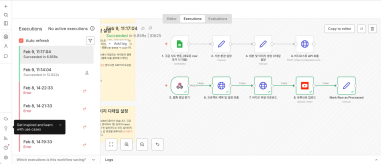
Just paste a news link and watch YouTube Shorts upload itself! (Videostew API & n8n combo guide)
Hey there! 🎬 In this post we’re wiring up Videostew with the no-code ninja n8n so you can paste a news URL, grab a coffee, and watch the magic: video rendered ➜...
📖
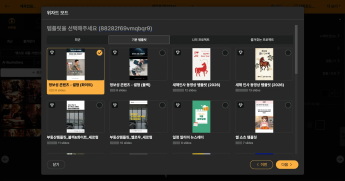
Whip Up ‘Econ-101’ Reels in a Flash—With AI-Generated Images on the Side 🤑✨
When you're whipping up a video, which step eats up the most time?Scripting is tough, sure—but the real buzzkill is often the image hunt. You know the feeling: ...
🗞️
[Update] Whip Up AI Images in One Click—Now in Wizard Mode! 🪄
Wizard Mode just leveled up: you can now summon fresh AI images in the same flow. 🪄Flip the switch in the final detailed-settings step of Wizard Mode—set Visual...
![[Update] Whip Up AI Images in One Click—Now in Wizard Mode! 🪄](https://cdn.videostew.com/files/thumb/b336facab-7u4jpk3cp)
📖
Ring in 2026 Lunar New Year with a snazzy video greeting template—no firecrackers required! 🧧
Hey there! 🐉 2026 is charging in on a fiery red horse, and Lunar New Year is almost here. From everyone at Videostew, may your year overflow with good fortune, ...
📣
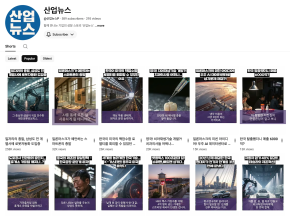
Small-Biz Marketing in One Word: Video—How to Automate It Like a Pro with Videostew API
Meet Hi-3D: the startup that’s been turning corporate daydreams into 3D-printed prototypes. These days, though, they’ve gone full sci-fi—leveraging AI-driven ma...

Hey there! 🐉 2026 is charging in on a fiery red horse, and Lunar New Year is almost here. From everyone at Videostew, may your year overflow with good fortune, extra zeros in your bank account, and zero buffering on your videos.
To help you deliver greetings that are anything but generic, our team whipped up two brand-spanking-new video templates—so polished you’ll look like you hired a Hollywood crew (we won’t tell if you don’t).
Pick the one that makes your heart do a little happy dance, swap in your own words, and boom—instant, scroll-stopping New Year wishes in video form.
Version 1. Crimson Horse Illustration Template
→ Craft my New-Year greeting with this template
Version 2. Classic Letter-Style Template
→ Craft my New-Year greeting with this template
How to Use These Templates in 3 Ridiculously Easy Steps
1. Choose Your Template
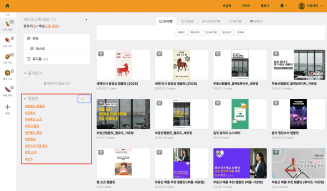
In Videostew, open the Templates tab on the left, hit “All,” and pick whichever New-Year template tickles your fancy.
2. Click “Use This Template”
Watch the preview, wipe that single tear of joy, then smash the [Use This Template] button to hop straight into the editor.
3. Add Your Title & Message
Type in a snappy title, hit [Start with Script], and pour your heart into the text box. Pro-tip: hit Enter after each sentence to keep it punchy. There’s no hard limit, but around 10 lines keeps it short-form friendly and your audience’s thumbs happy.
4. Quick tweaks (totally optional)
A panel will pop up where you can fine-tune the AI voice and a few other goodies, but if you're feeling lazy just smash that [Done] button—zero judgment! 😎
5. Preview, then let the magic render
Take your masterpiece for a spin with [Preview]. Happy with it? Hit [Download > Render] and grab some coffee while we whip up your crispy MP4. When the render’s done, why not use the built-in YouTube uploader and go from zero to viral in one smooth click? 🚀