
Junwoo
2026-03-19 09:37:26
Announcement
[Update] Image motion (Ken Burns) effect is now turned on by default—let your stills steal the show! 📸✨
🎓
Before You Pick an AI Video Editor, Decide *What* You Actually Want to Make
When you read those “Top 5 AI video makers” listicles, they usually bundle all the trendy tools together, compare pros and cons, and highlight key features.But ...
🤔
Before you get a quote for one AI video, ask yourself this: "How many times will I want to repeat this?"
The first message we usually get from people asking about AI video outsourcing is almost always the same. It all boils down to one question: “How much is it?” I...

📣
How a Franchise Café Automated Its Digital Signage Videos (and Saved a Lot of Time)
Running Videostew has given us a front-row seat to the challenges faced by potential customers across all kinds of industries.And there’s one topic that always ...

📣
How We Turned a Pile of Blog Posts into a Flood of Shorts: Automation for Speed, Humans for Quality!
This is a story from one of our VX service clients—a hotel based in Yeoju that runs a blog to promote their property.They had already published over 200 blog po...

🗞️
[Update] Instantly generate multiple slides with AI right from the slide editor ✨
You can now generate AI content for multiple slides directly in the Videostew editor. Just pick the element you’re editing, choose whether you want an image, vi...
![[Update] Instantly generate multiple slides with AI right from the slide editor ✨](https://cdn.videostew.com/files/thumb/f72020c7f-7vp6h1rc0)
🎓
These days, I’m running Videostew with a little help from Claude Code
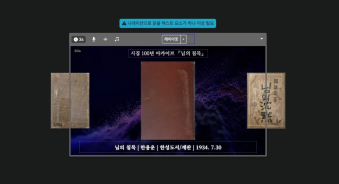
Recently, we landed a pretty big gig with our VX production service. To celebrate the opening of the Manhae Museum, we’re creating a full digital video archive ...
🎓
AI Video Creation Isn’t a Tool Problem: Where Creators Actually Get Stuck (and How to Break Through)
By the time you’ve landed on this post, you’ve probably read your fair share of “Top AI Video Tools” articles. You’ve seen everything from clip-generation servi...
🎓
Why Your Newsroom’s YouTube Channel Is Packed with Articles—but Starving for Videos
When we talk with our media clients, we hear the same thing again and again."We opened our YouTube channel two years ago, but we still don’t even have 10 videos...
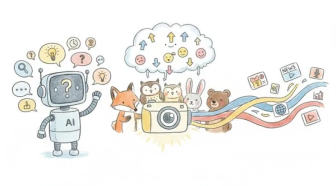

Until now, if you wanted to make a still image slide, zoom, or pan, you had to hunt for the Ken Burns switch and flip it yourself.
Not anymore. From today, the moment you drop an image onto the timeline, we sprinkle the motion magic automatically—no extra clicks, no coffee break wasted.
Prefer your picture to stay perfectly still like a museum painting? Just click the image, open > [Display] > [Fill/Fit], and set [Direction] to [None]. Voilà—frozen in time, just the way you like it.