
Junwoo
2026-05-04 19:46:04
Announcement
[Update] AI Video Clip Generation Feature
🎓
Why Your Newsroom’s YouTube Channel Is Packed with Articles—but Starving for Videos
When we talk with our media clients, we hear the same thing again and again."We opened our YouTube channel two years ago, but we still don’t even have 10 videos...
🗞️
[Update] Effortless Video Creation with Just an Account API Token – No SDK Needed
What’s NewPreviously, using the Automation API meant you had to go through the hassle of creating a separate SDK. Now, you can jump straight into auto-generatin...
![[Update] Effortless Video Creation with Just an Account API Token – No SDK Needed](https://cdn.videostew.com/files/thumb/9a371f670-7vcfraxg8)
🗞️
[Update] AI Video Clip Generation Feature
You can now generate AI video clips in Videostew using nothing but a text prompt.In your Library, go to the Visual tab, choose the AI Video category, then click...
![[Update] AI Video Clip Generation Feature](https://cdn.videostew.com/files/thumb/a0de300fe-7vbjxvbd6)
🗞️
[Update] Large File Uploads for Your Videos
Videostew now lets you upload large video files up to 1GB.Previously, you were limited to 250MB per upload, so you had to manually split your video into smaller...
![[Update] Large File Uploads for Your Videos](https://cdn.videostew.com/files/thumb/36cb53236-7v6dmsmeg)
🎓
Before You Outsource Your Corporate Video, Read This First!
If you’re working as a marketer in a company, you’ve probably experienced moments like this: someone from the top casually says, “Shouldn’t we be doing YouTube ...
🗞️
[Update] Create Podcast-Style Videos in a Snap
A new writing style, the Podcast Format, has just been added to Videostew.When you select the podcast format in either [Start from an idea] or in Polishing mode...
![[Update] Create Podcast-Style Videos in a Snap](https://cdn.videostew.com/files/thumb/133403bd4-7v2jle8ng)
🎓
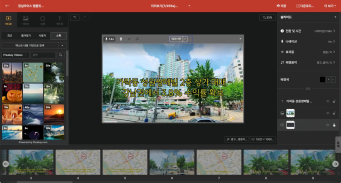
Are You Sure You’re Even Choosing the Right Type of “Free Video Site”?
You want to start making video content, but you’ve got no budget and monthly fees for paid tools feel a bit painful. So you search for “free video sites” and… i...
🗞️
If You’re a Media Company, Don’t Miss This 2026 Public Infrastructure Support Project: How to Use NewsTTV/News Images for Free
The Korea Press Foundation has opened applications for its 2026 News Content Shared Infrastructure Support Program. The application deadline is Wednesday, April...


You can now generate AI video clips in Videostew using nothing but a text prompt.
In your Library, go to the Visual tab, choose the AI Video category, then click the [+ Add] button to open the prompt input screen.
A suitable descriptive prompt is automatically generated based on your content, so you can use it as-is or overwrite it with your own text description of the scene you want. Every generated clip is saved to your Library, and with the Favorites feature you can easily reuse your best clips anytime.
Credit-based usage
AI video generation uses credits. You can check your current credit balance at the top right of the generation screen. (The current model costs 500 credits per clip.)
Great ways to use this feature
Right now, the Wizard mode can automatically generate AI images that match your full script, but we’re already working on upgrading it so that it can auto-generate AI videos as well. Stay tuned. 🚀