
Junwoo
2026-06-02 18:58:50
Announcement
[Update] Instantly generate multiple slides with AI right from the slide editor ✨
🎓
Automating shorts is easy—getting them consistently great every time is the real challenge
If you search for shorts automation, you’ll find endless workflow tutorials that promise everything at once: script generation, images, voiceover, even upload. ...

🎓
Before You Pick an AI Video Editor, Decide *What* You Actually Want to Make
When you read those “Top 5 AI video makers” listicles, they usually bundle all the trendy tools together, compare pros and cons, and highlight key features.But ...
🤔
Before you get a quote for one AI video, ask yourself this: "How many times will I want to repeat this?"
The first message we usually get from people asking about AI video outsourcing is almost always the same. It all boils down to one question: “How much is it?” I...

📣
How a Franchise Café Automated Its Digital Signage Videos (and Saved a Lot of Time)
Running Videostew has given us a front-row seat to the challenges faced by potential customers across all kinds of industries.And there’s one topic that always ...

📣
How We Turned a Pile of Blog Posts into a Flood of Shorts: Automation for Speed, Humans for Quality!
This is a story from one of our VX service clients—a hotel based in Yeoju that runs a blog to promote their property.They had already published over 200 blog po...

🗞️
[Update] Instantly generate multiple slides with AI right from the slide editor ✨
You can now generate AI content for multiple slides directly in the Videostew editor. Just pick the element you’re editing, choose whether you want an image, vi...
![[Update] Instantly generate multiple slides with AI right from the slide editor ✨](https://cdn.videostew.com/files/thumb/f72020c7f-7vp6h1rc0)
🎓
These days, I’m running Videostew with a little help from Claude Code
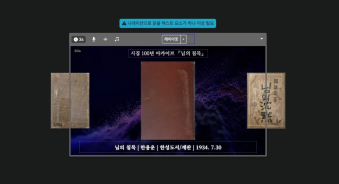
Recently, we landed a pretty big gig with our VX production service. To celebrate the opening of the Manhae Museum, we’re creating a full digital video archive ...
🎓
AI Video Creation Isn’t a Tool Problem: Where Creators Actually Get Stuck (and How to Break Through)
By the time you’ve landed on this post, you’ve probably read your fair share of “Top AI Video Tools” articles. You’ve seen everything from clip-generation servi...
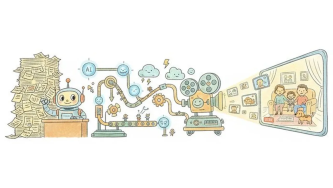

You can now generate AI content for multiple slides directly in the Videostew editor. Just pick the element you’re editing, choose whether you want an image, video, or text, and create the result right on the spot—no more jumping back and forth to a separate library screen.
The AI Generate button is built into the property editing interface and suggests the best generation mode for the element you’ve selected. You’ll see how many credits are needed before you start, and if you change your mind mid-way, you can stop anytime with the cancel button.
Bulk regenerate across multiple slides
When the same element appears on multiple slides, you can regenerate them all at once with a single action. Instead of editing slide by slide, group identical elements and recreate them together—so you can keep your design consistent and finish your video much faster.
Perfect for content like this