
Junwoo
2026-09-15 09:51:18
Announcement
[Update] From Generating Images to Remixing and Video Creation—All in One Place!
🗞️
[Update] From Generating Images to Remixing and Video Creation—All in One Place!
Just double-click any image in the editor, and boom! You can now jump straight into four powerful AI actions.Create a completely fresh image based on your slide...
![[Update] From Generating Images to Remixing and Video Creation—All in One Place!](https://cdn.videostew.com/files/thumb/980c7babf-7x4chx14a)
🤔
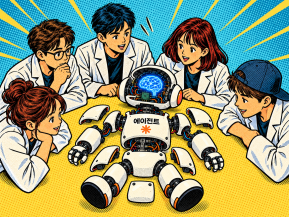
Demystifying AI Agents: Building One from Scratch (No Magic Wand Needed!)
In our previous post, Smart Token-Saving Hacks for AI Agents, we explored actionable ways to slash token usage right away. Today, we're diving under the hood to...
🤔
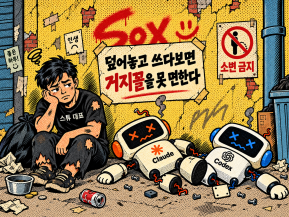
Smart Ways to Save Tokens with AI Agents (Without Losing the Magic)
Must be nice if your company covers your token bills, but for a scrappy startup like ours, token cost-efficiency (or simply surviving the invoice) is practicall...
🤔
Setting Up the Dev & Ops Environment for Our Secret Agents (Yes, You!)
Today, we're pulling back the curtain to show you how our team sets up and powers through work using agentic coding workflows. The AI landscape moves at lightni...

🗞️
[Update] Give Stock and Uploaded Photos an AI Makeover with 'Generative Edit'
You can now refine and reuse the images you already have—no need to toss them out and start over. With the newly added 'Generate Edit' feature, the image curren...
![[Update] Give Stock and Uploaded Photos an AI Makeover with 'Generative Edit'](https://cdn.videostew.com/files/thumb/274c0ca30-7wwu05ktr)
🎓
Why You Pick a Shorts Template, Make Three Videos, Then Never Use It Again
Search for Shorts templates, and you’ll find an endless supply of free options. But after downloading one and making about three videos, many creators find them...

🎓
Automating shorts is easy—getting them consistently great every time is the real challenge
If you search for shorts automation, you’ll find endless workflow tutorials that promise everything at once: script generation, images, voiceover, even upload. ...

🎓
Before You Pick an AI Video Editor, Decide *What* You Actually Want to Make
When you read those “Top 5 AI video makers” listicles, they usually bundle all the trendy tools together, compare pros and cons, and highlight key features.But ...

Just double-click any image in the editor, and boom! You can now jump straight into four powerful AI actions.
Create a completely fresh image based on your slide's text, switch up the character, background, season, or art style of your current visual, or even breathe life into a still image by turning it into a dynamic video.
Quick update: The "Generate" button in the right-side properties panel now opens directly to create new visuals tailored right from your slide subtitles.
Try it out when you want to: