
Junwoo
2026-10-01 13:31:17
University
Automated Real Estate Video Creation: How to Run a YouTube Channel Using Just Your Blog Posts
🎓
Automated Real Estate Video Creation: How to Run a YouTube Channel Using Just Your Blog Posts
When chatting with real estate agents, we often notice a familiar pattern: blog posts are updated daily like clockwork, while their YouTube channels look like g...

🎓
Why You Pick a Shorts Template, Make Three Videos, Then Never Use It Again
Search for Shorts templates, and you’ll find an endless supply of free options. But after downloading one and making about three videos, many creators find them...

🎓
Automating shorts is easy—getting them consistently great every time is the real challenge
If you search for shorts automation, you’ll find endless workflow tutorials that promise everything at once: script generation, images, voiceover, even upload. ...

🎓
Before You Pick an AI Video Editor, Decide *What* You Actually Want to Make
When you read those “Top 5 AI video makers” listicles, they usually bundle all the trendy tools together, compare pros and cons, and highlight key features.But ...
🎓
Outsourcing AI Video? Before Getting a Quote for Just One Video, Ask Yourself: "How Many Will We Need on Repeat?"
Whenever people reach out to us about outsourcing AI video production, their first message is almost always the same. It pretty much boils down to: “So... how m...

🎓
These days, I’m running Videostew with a little help from Claude Code
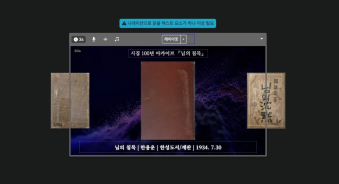
Recently, we landed a pretty big gig with our VX production service. To celebrate the opening of the Manhae Museum, we’re creating a full digital video archive ...
🎓
AI Video Creation Isn’t a Tool Problem: Where Creators Actually Get Stuck (and How to Break Through)
By the time you’ve landed on this post, you’ve probably read your fair share of “Top AI Video Tools” articles. You’ve seen everything from clip-generation servi...

🎓
Why Your Newsroom’s YouTube Channel Is Packed with Articles—but Starving for Videos
When we talk with our media clients, we hear the same thing again and again."We opened our YouTube channel two years ago, but we still don’t even have 10 videos...

When chatting with real estate agents, we often notice a familiar pattern: blog posts are updated daily like clockwork, while their YouTube channels look like ghost towns. The photos and descriptions are already there—there's just no time to sit down, edit a video, and upload it! That’s where Videostew’s automated real estate video generator comes in: it turns the blog posts you’ve already written into ready-to-publish videos.
Turn Your Property Blog Posts into YouTube Videos
Getting a single property video live usually means snapping photos, agonizing over video editing, and handling uploads. So, we broke the process down into what agents are already doing vs. what actually needs extra effort:
In fact, an agency dealing with warehouses, commercial spaces, land, and residential properties is already using this exact workflow. We never asked the broker to write a separate video script. Since their blog posts already had great descriptions and photos, our AI simply took care of the rest! That’s why this is a game-changer, especially if you’re already active on your blog.
Here’s the entire workflow from blog post to published YouTube video. The only human task? Just publishing that blog post.
We Set Up Custom Templates for Your Channel & Listings
Getting started is a breeze. We simply link your blog and YouTube channel, then lock in your branding—business name, contact info, and logo. Together, we fine-tune sample styles like subtitle size, voice tone, and video pacing. Once set, you won’t have to reinvent the design wheel for every new listing!
Connecting your YouTube channel is as simple as clicking the link provided and signing in with Google. No need to share your passwords with us (we definitely don't want that kind of responsibility!). You retain 100% channel ownership, and your videos get posted straight to your channel. Feel free to check out Videostew's guide on how to connect your YouTube channel.
Next, choose which blog categories to turn into captivating videos. For example, a real estate office might want different video templates for warehouses, retail spaces, land, and residential listings since each property type has its own story to tell. And don't worry—your casual daily life posts won't accidentally become real estate shorts; we can easily filter those out.
Even if you customize designs for different categories, key branding elements like your business name and contact info stay crisp and consistent. Once you nail down the style you love in the first few videos, every future listing will automatically follow that winning formula.
We read new posts and make videos, but visibility is always in your hands
Once setup is complete, every new listing post seamlessly transforms into an engaging video. The goal? Taking the repetitive, soul-draining editing chores completely off your plate.
First, our system extracts the core body text and property photos. We smartly filter out clutter like promo banners and blog navigation menus, condensing the key features and terms into a punchy, short script. Then, it places the photos and subtitles into your custom template and matches them with a natural AI voiceover—presto, your video is born!
The finished video uploads directly to your connected YouTube channel. But here's the best part: you decide whether it goes public immediately or stays private until you give the green light. Just because video creation is automated doesn't mean you lose control—you're always the director in chief.
At the end of each video, we can add a clear call-to-action directing viewers to your blog or displaying your direct contact info. Shorts can't hold every tiny detail, so we guide eager viewers straight to the original blog post for full specs. Think of it not as replacing your blog, but as opening up an exciting new digital storefront to showcase your listings!
Trimming the Fluff, Never Faking the Facts
Reading a real estate listing word-for-word from start to finish rarely makes for an engaging video. Some posts come with overly long agency greetings, while others only feature a bare-bones address and square footage. Our AI strips away the irrelevant clutter and crafts a punchy script focused strictly on the verified features and terms from the original post.
The secret sauce here? Knowing the difference between summarizing and guessing. We gladly highlight the transit links and nearby amenities mentioned in the source, but we won't hallucinate high-yield returns or make wild market predictions out of thin air. If building permits or upcoming regional developments aren't explicitly verified in the text, we don't jump to conclusions.
We also double-check critical numbers like pricing and dimensions against the original source. During the video generation phase, our system audits the details to ensure figures from other listings don't sneak in, and conditions not in the description aren't mistakenly tacked on. Instead of relying on a generic disclaimer, baking real checks into the automated workflow is how we keep high-volume production reliable and stress-free.
Of course, automation can’t magically fix typos that were in the original listing to begin with (we're an AI editor, not a mind reader!). That’s why the agency should always verify transaction terms and key facts. If you take a quick look before publishing, it’s always a great idea to make sure the numbers and photos match up with the exact property.
Great Property Photos Make the Video Shine
Even with a stellar script, lacking real visuals leaves viewers wanting more. A wall of text, promo graphics, or business card cutouts simply can't capture the vibe of a physical space.
That's why our AI separates authentic property photos from repetitive promo banners. We prioritize visuals that actually help buyers understand the space—such as interior layouts, building exteriors, and access roads. And don't worry: even if photos are sparse, we will never swap in generic building shots or pass off AI-generated fantasy rooms as the actual property!
A bit light on on-site photos? No worries! We can easily turn details like square footage or listing conditions from your original post into sleek, informative graphics. However, if a post has zero visual assets or is a bit too brief, it might need a quick polish. When we generate your first sample, we’ll check together to see just how much magic we can work with your existing post!
At the end of the day, great video quality starts with a solid blog post. When your property details are crystal clear and you’ve got good photos, there’s no need to write fresh scripts or grab a camera just for a video. That’s the beauty of our service—putting your existing blog content right to work!
DIY Editing vs. Fully Automated: Pick Your Flavor
You can always create property videos yourself directly on Videostew. Just paste your blog URL to generate an instant draft, fine-tune it in the editor, and you’re ready to upload.
We’ve laid out the whole step-by-step in How to Instantly Transform Real Estate Listings into Promotional Videos. If you only need a video once in a while or love having full hands-on creative control, this is the way to go.
Our Automated Service, on the other hand, is built for busy agencies who simply don't have the time to paste, edit, and publish for every single listing. You keep writing great posts; we’ll handle turning them into dynamic videos. It’s a lot like why newsrooms overflow with articles while their YouTube channels starve for videos. It’s all about consistently turning what you already have into scroll-stopping video content.
Automating your video production starts at just ₩49,500/month with the Videostew Pro plan (monthly billing). Opt for annual billing at ₩495,000 upfront, and you’ll effectively pay only ₩41,250 per month—a sweet deal for your wallet! Every month, you receive 60,000 credits to create videos with zero extra agency fees. The exact number of videos you can produce depends on video length, AI feature usage, and regenerations. Feel free to check out some live samples first at our Real Estate Video Automation Guide.
Frequently Asked Questions Before Getting Started
Q. Can I use this service even if I don’t have a blog post?
This automated workflow is specially optimized for turning Naver Blog real estate listings into videos like magic! While you can always jump into Videostew to manually craft videos using your own text and photos, our fully hands-off auto-pilot relies on detecting new blog posts. Don’t run an active blog yet? No worries—reach out to us with your materials and workflow ideas, and we’ll guide you through the best setup!
Q. What happens if listing details change after a video is already published?
If prices drop (fingers crossed for a quick deal!) or availability changes, existing videos need a quick check-up. Updating the blog post won't automatically alter or delete videos that have already gone live. Just let us know the updated details and the video in question, and we'll help you sort out the smoothest way to update it.
Q. Does the Pro Plan let me generate unlimited videos?
Almost, but not quite an infinite buffet! The Pro plan comes packed with 60,000 credits every month, which get consumed as you render videos and leverage fancy AI superpowers. Even for the same number of videos, credit usage varies based on run-time and production style. You can estimate your output based on sample templates, and if you're a high-volume powerhouse, we’ll happily point you to a tier built for heavy lifting. Explore the detailed pricing options on our Pricing Page.
Q. Do I have to hand over my YouTube account?
Nope, absolutely not! We simply request access permission so we can upload videos directly to your channel. You never have to share your password with us, and full ownership of your channel stays 100% with you. Plus, you can revoke access anytime right from your Google account settings. Safe and sound!
See the magic on just one of your blog posts first
Keeping up with regular blog posts is tough enough—who has the time to produce videos too? Good news: you don't have to start from scratch. Just pick one of your existing property listings! Before you even think about writing a new script, see how effortlessly your current photos and descriptions transform into an engaging video.
Simply head over to our Free Sample Request and drop the link to your blog post along with your contact info. Once you check out the sample, we can tailor templates, privacy settings, and production volumes together—no strings attached before you make a decision.
Our job is to turn your everyday posts into polished videos. If you're ready to expand your property listings from your blog over to YouTube without the headache, check out Videostew Real Estate Video Automation today!