
jhyoon
2022-08-17 14:17:17
University
Creating YouTube Videos with TTS using PowerPoint
🗞️
If You’re a Media Company, Don’t Miss This 2026 Public Infrastructure Support Project: How to Use NewsTTV/News Images for Free
The Korea Press Foundation has opened applications for its 2026 News Content Shared Infrastructure Support Program. The application deadline is Wednesday, April...

🎓
Video-Editing AI: Now the Real Work Is Picking One — 3 Battle-Tested Criteria for Pros
These days, the market is flooded with AI video-editing tools.Sora, Veo, Runway, Kling, Vrew, Videostew, Canva, InVideo… the list is so long you’ll need an oxyg...
🗞️
[Update] Real-Time Preview Just Got a Major Glow-Up! ✨
Videostew now serves both full-sequence and slice-only real-time previews.In this update we chased down every last micro-flicker that used to flash when slides ...
![[Update] Real-Time Preview Just Got a Major Glow-Up! ✨](https://cdn.videostew.com/files/thumb/c3a6aa61a-7usmpepg7)
🗞️
[Update] Image motion (Ken Burns) effect is now turned on by default—let your stills steal the show! 📸✨
Until now, if you wanted to make a still image slide, zoom, or pan, you had to hunt for the Ken Burns switch and flip it yourself.Not anymore. From today, the m...
![[Update] Image motion (Ken Burns) effect is now turned on by default—let your stills steal the show! 📸✨](https://cdn.videostew.com/files/thumb/a85c364c7-7uoqak9w3)
🗞️
[Update] AI Sticker Icon Generation Feature
The AI sticker image generation feature is now live! You can now create the perfect sticker images to match any context, whether you're feeling quirky, creative...
![[Update] AI Sticker Icon Generation Feature](https://cdn.videostew.com/files/thumb/5b07ea0af-7ueeitewk)
🗞️
[Update] Sharper Images & Vanishing Backgrounds: Image Upscaling & BG-Removal Just Leveled Up! ✨
File Editor just leveled up—say hello to sharper upscales and cleaner background removal.Open any image in your library, hit “File Editor,” and watch your still...
![[Update] Sharper Images & Vanishing Backgrounds: Image Upscaling & BG-Removal Just Leveled Up! ✨](https://cdn.videostew.com/files/thumb/5344bad0c-7u7f8x3g9)
🎓
Just paste a news link and watch YouTube Shorts upload itself! (Videostew API & n8n combo guide)
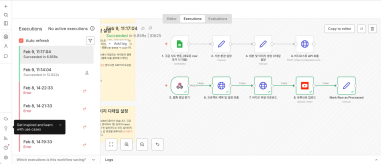
Hey there! 🎬 In this post we’re wiring up Videostew with the no-code ninja n8n so you can paste a news URL, grab a coffee, and watch the magic: video rendered ➜...
📖
Whip Up ‘Econ-101’ Reels in a Flash—With AI-Generated Images on the Side 🤑✨
When you're whipping up a video, which step eats up the most time?Scripting is tough, sure—but the real buzzkill is often the image hunt. You know the feeling: ...

PowerPoint: One of the most widely used programs
Most of you are using PowerPoint regularly to create your presentations, aren't you?
Many of you might have already attached videos to your PowerPoint presentations. But did you know that you can also apply Text-to-Speech (TTS) to dub texts and create videos using PowerPoint?
Even though the process is a bit complicated, I'll guide you through it step by step. Shall we start?
Creating short-form videos with PowerPoint
Making videos with PowerPoint may be a long and arduous process. However, I'll explain it step by step, so stick with me!
Firstly, as most of us haven't created videos with PowerPoint before, we had to carry out the process by digging out each information piece by piece.
For the video, we decided on a topic introducing the novel 'Madonna in a Fur Coat' and set the size of the slide to short form after running PowerPoint.
We then inserted a new slide for each planned sentence and placed one text sentence for each slide.
Now, it's time to insert the core of the video, the video, and image sources. We found and placed video and image sources that can be downloaded and used for free without worrying about copyright. For this video production, we utilized Pexels and Pixabay, which we also use on our VideoStew.
We proceeded with the task of adding appropriate videos and images to the slides with the texts. This required us to search for suitable video sources for each slide, download and attach them, resize them to fit the slide, and bring the text forward.
<