
Junwoo
2022-04-08 09:29:52
Announcement
Collaboration is key for videos too. Introducing Workspace feature!
🗞️
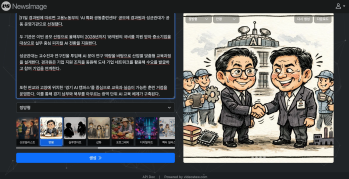
If You’re a Media Company, Don’t Miss This 2026 Public Infrastructure Support Project: How to Use NewsTTV/News Images for Free
The Korea Press Foundation has opened applications for its 2026 News Content Shared Infrastructure Support Program. The application deadline is Wednesday, April...
🗞️
[Update] Real-Time Preview Just Got a Major Glow-Up! ✨
Videostew now serves both full-sequence and slice-only real-time previews.In this update we chased down every last micro-flicker that used to flash when slides ...
![[Update] Real-Time Preview Just Got a Major Glow-Up! ✨](https://cdn.videostew.com/files/thumb/c3a6aa61a-7usmpepg7)
🗞️
[Update] Image motion (Ken Burns) effect is now turned on by default—let your stills steal the show! 📸✨
Until now, if you wanted to make a still image slide, zoom, or pan, you had to hunt for the Ken Burns switch and flip it yourself.Not anymore. From today, the m...
![[Update] Image motion (Ken Burns) effect is now turned on by default—let your stills steal the show! 📸✨](https://cdn.videostew.com/files/thumb/a85c364c7-7uoqak9w3)
🗞️
[Update] AI Sticker Icon Generation Feature
The AI sticker image generation feature is now live! You can now create the perfect sticker images to match any context, whether you're feeling quirky, creative...
![[Update] AI Sticker Icon Generation Feature](https://cdn.videostew.com/files/thumb/5b07ea0af-7ueeitewk)
🗞️
[Update] Sharper Images & Vanishing Backgrounds: Image Upscaling & BG-Removal Just Leveled Up! ✨
File Editor just leveled up—say hello to sharper upscales and cleaner background removal.Open any image in your library, hit “File Editor,” and watch your still...
![[Update] Sharper Images & Vanishing Backgrounds: Image Upscaling & BG-Removal Just Leveled Up! ✨](https://cdn.videostew.com/files/thumb/5344bad0c-7u7f8x3g9)
🗞️
[Update] Whip Up AI Images in One Click—Now in Wizard Mode! 🪄
Wizard Mode just leveled up: you can now summon fresh AI images in the same flow. 🪄Flip the switch in the final detailed-settings step of Wizard Mode—set Visual...
![[Update] Whip Up AI Images in One Click—Now in Wizard Mode! 🪄](https://cdn.videostew.com/files/thumb/b336facab-7u4jpk3cp)
🗞️
[Update] More natural Korean speech TTS — introducing the DIVE engine!
Meet DIVE—our brand-new TTS engine that’s been fine-tuned for Korean content. Ready to plug in 100+ AI voices right out of the gate? Yep, we thought so. 😉Don’t ...
![[Update] More natural Korean speech TTS — introducing the DIVE engine!](https://cdn.videostew.com/files/thumb/fb37b7107-7tqwnfe8w)
🗞️
[Update] Cartoon-Style Newspaper Comics & More Fresh AI Image Styles Are Live! 🗞️🎨
You asked, we delivered: the most-wanted AI image styles have just landed in your timeline!Head to the [Visual] tab > [Stock] > AI Illustration and swipe ...
![[Update] Cartoon-Style Newspaper Comics & More Fresh AI Image Styles Are Live! 🗞️🎨](https://cdn.videostew.com/files/thumb/19635f8ae-7to5sno3b)

Unlimited workspaces for creation
A workspace is a separate working area with its own library. How can you make the best use of it?
For instance, if you're a marketing agency, you might want to set up a workspace for each of your clients. You can pre-register each client's fonts, logos, brand colors, and graphic assets to swiftly use them whenever needed. Isn't it splendid?
Also, you can use it to collect templates for your team to share. Team members just need to select a template, hit "Start with this template", and voila! The work starts with a duplicated template.
Inviting team members
You can invite team members when you create a workspace. If they're not registered with VideosStew yet, no worries. A friendly invitation email will guide them through the process. Also, you can add collaborators later through 'Settings > Edit'.
Invited members can directly join the workspace via the invitation email, or alternatively, they can accept the invitation in their account settings. So, are we all set for a video editing adventure?