
Junwoo
2023-01-16 15:05:52
Announcement
New Personal Pricing Plans Addition and Updates (Effective from February 20th)
🗞️
[Update] Effortless Video Creation with Just an Account API Token – No SDK Needed
What’s NewPreviously, using the Automation API meant you had to go through the hassle of creating a separate SDK. Now, you can jump straight into auto-generatin...
![[Update] Effortless Video Creation with Just an Account API Token – No SDK Needed](https://cdn.videostew.com/files/thumb/9a371f670-7vcfraxg8)
🗞️
[Update] AI Video Clip Generation Feature
You can now generate AI video clips in Videostew using nothing but a text prompt.In your Library, go to the Visual tab, choose the AI Video category, then click...
![[Update] AI Video Clip Generation Feature](https://cdn.videostew.com/files/thumb/a0de300fe-7vbjxvbd6)
🗞️
[Update] Large File Uploads for Your Videos
Videostew now lets you upload large video files up to 1GB.Previously, you were limited to 250MB per upload, so you had to manually split your video into smaller...
![[Update] Large File Uploads for Your Videos](https://cdn.videostew.com/files/thumb/36cb53236-7v6dmsmeg)
🗞️
[Update] Create Podcast-Style Videos in a Snap
A new writing style, the Podcast Format, has just been added to Videostew.When you select the podcast format in either [Start from an idea] or in Polishing mode...
![[Update] Create Podcast-Style Videos in a Snap](https://cdn.videostew.com/files/thumb/133403bd4-7v2jle8ng)
🗞️
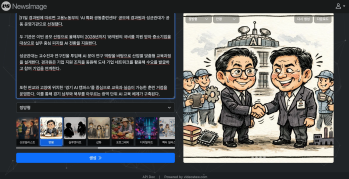
If You’re a Media Company, Don’t Miss This 2026 Public Infrastructure Support Project: How to Use NewsTTV/News Images for Free
The Korea Press Foundation has opened applications for its 2026 News Content Shared Infrastructure Support Program. The application deadline is Wednesday, April...
🗞️
[Update] Real-Time Preview Just Got a Major Glow-Up! ✨
Videostew now serves both full-sequence and slice-only real-time previews.In this update we chased down every last micro-flicker that used to flash when slides ...
![[Update] Real-Time Preview Just Got a Major Glow-Up! ✨](https://cdn.videostew.com/files/thumb/c3a6aa61a-7usmpepg7)
🗞️
[Update] Image motion (Ken Burns) effect is now turned on by default—let your stills steal the show! 📸✨
Until now, if you wanted to make a still image slide, zoom, or pan, you had to hunt for the Ken Burns switch and flip it yourself.Not anymore. From today, the m...
![[Update] Image motion (Ken Burns) effect is now turned on by default—let your stills steal the show! 📸✨](https://cdn.videostew.com/files/thumb/a85c364c7-7uoqak9w3)
🗞️
[Update] AI Sticker Icon Generation Feature
The AI sticker image generation feature is now live! You can now create the perfect sticker images to match any context, whether you're feeling quirky, creative...
![[Update] AI Sticker Icon Generation Feature](https://cdn.videostew.com/files/thumb/5b07ea0af-7ueeitewk)

As we step into the fourth month of paid services, we've received feedback from many of our valued customers who create short videos through VideoStew, regarding the current Personal Plan's deducting criteria not being suited for short video production.
Therefore, with the primary aim to providie services at the most reasonable prices possible, this update will take effect from February 20th, 2023, following a grace period and will become official from March 1st.
The Personal plan will now offer double the video production volume.
For 29,700 KRW per month, the current Personal Plan allows you to create up to 30 projects. However, we found that short video content creators inevitably have more projects, and test projects with little content also get deducted, which many of you felt didn't align with your actual usage patterns.
With our updated Personal Plan, you will be allowed to render up to '60 minutes of video per month'. Moreover, we recommend you to actively use the [Preview] feature, as with our service's nature, the video render time gets deducted every time you request for it.
The launch of an upgraded Personal Plan.
The newly introduced higher-level Personal Plan, the Pro Plan, priced at 49,500 KRW per month, allows up to 120 minutes of video creation per month.
This plan comes with enough production capacity for you to upload a 4-minute video every day, and offers twice the storage space compared to the Personal Plan. It's highly recommended for those who often upload their own images or videos during video production.
Buy only the exact time you need.
It's unnecessary to upgrade your plan just because you're short of 1-2 minutes, right? In such cases, you can buy additional time. The booster is a product that purchases additional rendering time in increments of 10 minutes when the monthly allotment of the Personal and Pro plans are exhausted.
If you have a consistent production volume every month, but have a season when production increases, instead of forcefully upgrading your plan, you can simply purchase additional time. More details about buying additional time can be found on the [Payments] page.
Unused time can be carried over to the next month.
We have a policy where you can use last month's unused rendering time in case you exhaust all your allocated rendering time for this month. However, it's only applicable for the previous month.
Oh, and in case any of our loyal customers are not satisfied with the new policy changes, please feel free to let us know. We'll adjust accordingly so you can use the services as initially planned. A sincere thank you to all our beloved customers for your unwavering support for VideoStew. We promise to continue listening to your voices and evolve.
Check out the new pricing plans in detail