
Junwoo
2026-02-04 10:46:40
Announcement
[Update] Whip Up AI Images in One Click—Now in Wizard Mode! 🪄
🗞️
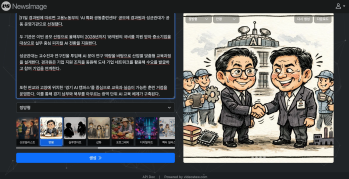
If You’re a Media Company, Don’t Miss This 2026 Public Infrastructure Support Project: How to Use NewsTTV/News Images for Free
The Korea Press Foundation has opened applications for its 2026 News Content Shared Infrastructure Support Program. The application deadline is Wednesday, April...
🎓
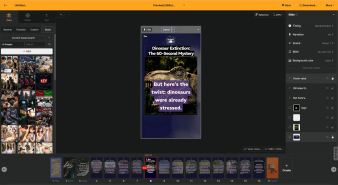
Video-Editing AI: Now the Real Work Is Picking One — 3 Battle-Tested Criteria for Pros
These days, the market is flooded with AI video-editing tools.Sora, Veo, Runway, Kling, Vrew, Videostew, Canva, InVideo… the list is so long you’ll need an oxyg...
🗞️
[Update] Real-Time Preview Just Got a Major Glow-Up! ✨
Videostew now serves both full-sequence and slice-only real-time previews.In this update we chased down every last micro-flicker that used to flash when slides ...
![[Update] Real-Time Preview Just Got a Major Glow-Up! ✨](https://cdn.videostew.com/files/thumb/c3a6aa61a-7usmpepg7)
🗞️
[Update] Image motion (Ken Burns) effect is now turned on by default—let your stills steal the show! 📸✨
Until now, if you wanted to make a still image slide, zoom, or pan, you had to hunt for the Ken Burns switch and flip it yourself.Not anymore. From today, the m...
![[Update] Image motion (Ken Burns) effect is now turned on by default—let your stills steal the show! 📸✨](https://cdn.videostew.com/files/thumb/a85c364c7-7uoqak9w3)
🗞️
[Update] AI Sticker Icon Generation Feature
The AI sticker image generation feature is now live! You can now create the perfect sticker images to match any context, whether you're feeling quirky, creative...
![[Update] AI Sticker Icon Generation Feature](https://cdn.videostew.com/files/thumb/5b07ea0af-7ueeitewk)
🗞️
[Update] Sharper Images & Vanishing Backgrounds: Image Upscaling & BG-Removal Just Leveled Up! ✨
File Editor just leveled up—say hello to sharper upscales and cleaner background removal.Open any image in your library, hit “File Editor,” and watch your still...
![[Update] Sharper Images & Vanishing Backgrounds: Image Upscaling & BG-Removal Just Leveled Up! ✨](https://cdn.videostew.com/files/thumb/5344bad0c-7u7f8x3g9)
🎓
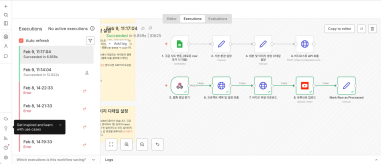
Just paste a news link and watch YouTube Shorts upload itself! (Videostew API & n8n combo guide)
Hey there! 🎬 In this post we’re wiring up Videostew with the no-code ninja n8n so you can paste a news URL, grab a coffee, and watch the magic: video rendered ➜...
📖
Whip Up ‘Econ-101’ Reels in a Flash—With AI-Generated Images on the Side 🤑✨
When you're whipping up a video, which step eats up the most time?Scripting is tough, sure—but the real buzzkill is often the image hunt. You know the feeling: ...
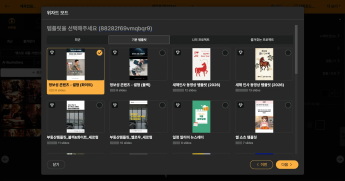

Wizard Mode just leveled up: you can now summon fresh AI images in the same flow. 🪄
Flip the switch in the final detailed-settings step of Wizard Mode—set Visual Type to "AI Generated" and let the magic begin.
Today you get two looks: hyper-real photos and crisp illustrations. More styles on the way!
Heads-up: each AI image costs 75 credits. If your balance runs dry mid-wizard, a friendly pop-up blocks the “Next” button so you won’t be caught off guard.
Pair your favorite templates with these brand-new AI visuals for turbo-charged productivity and eye-popping quality—your viewers (and your schedule) will thank you.