Guide
Creating a long video by chaining projects
Home screen > Assets > Project settings > Scenes > Chain projects
Videostew limits the maximum length per plan. However, using the project-chain feature lets you stitch multiple projects into one long MP4 file.
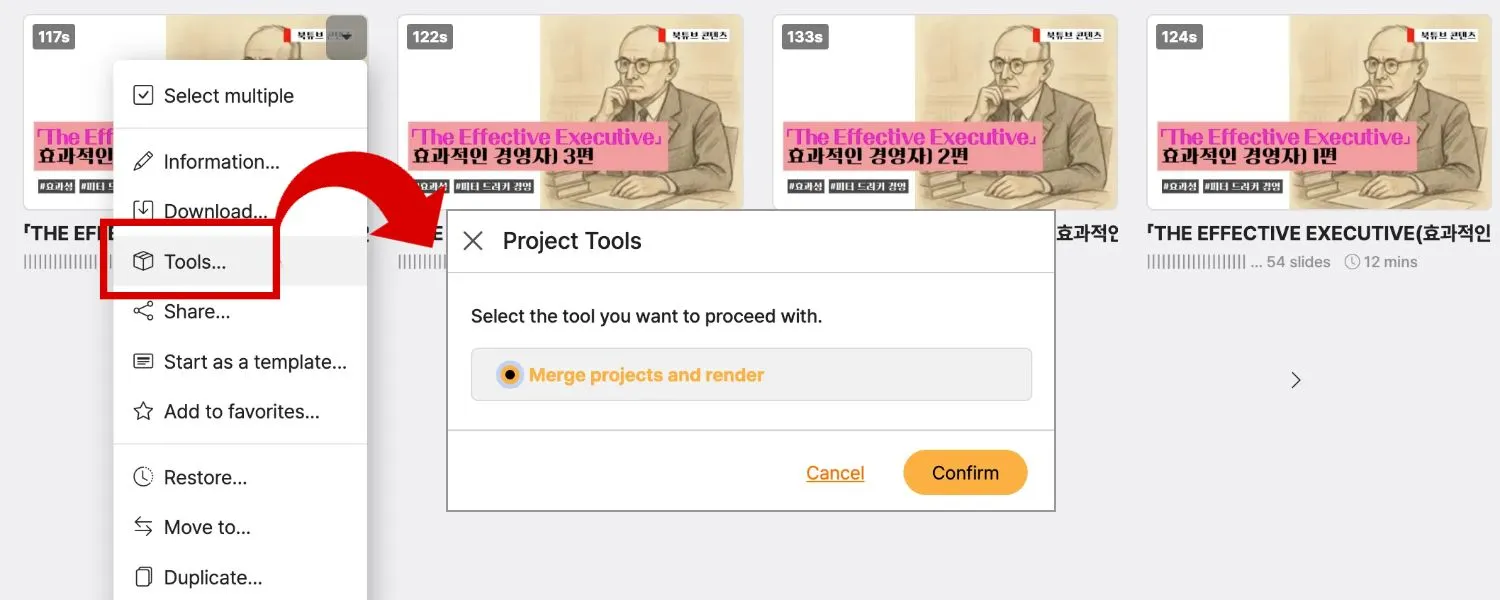
This is a way to merge individually rendered projects into one. Projects that haven't been rendered yet appear with the [Render] button in gray, and you must render the project first.
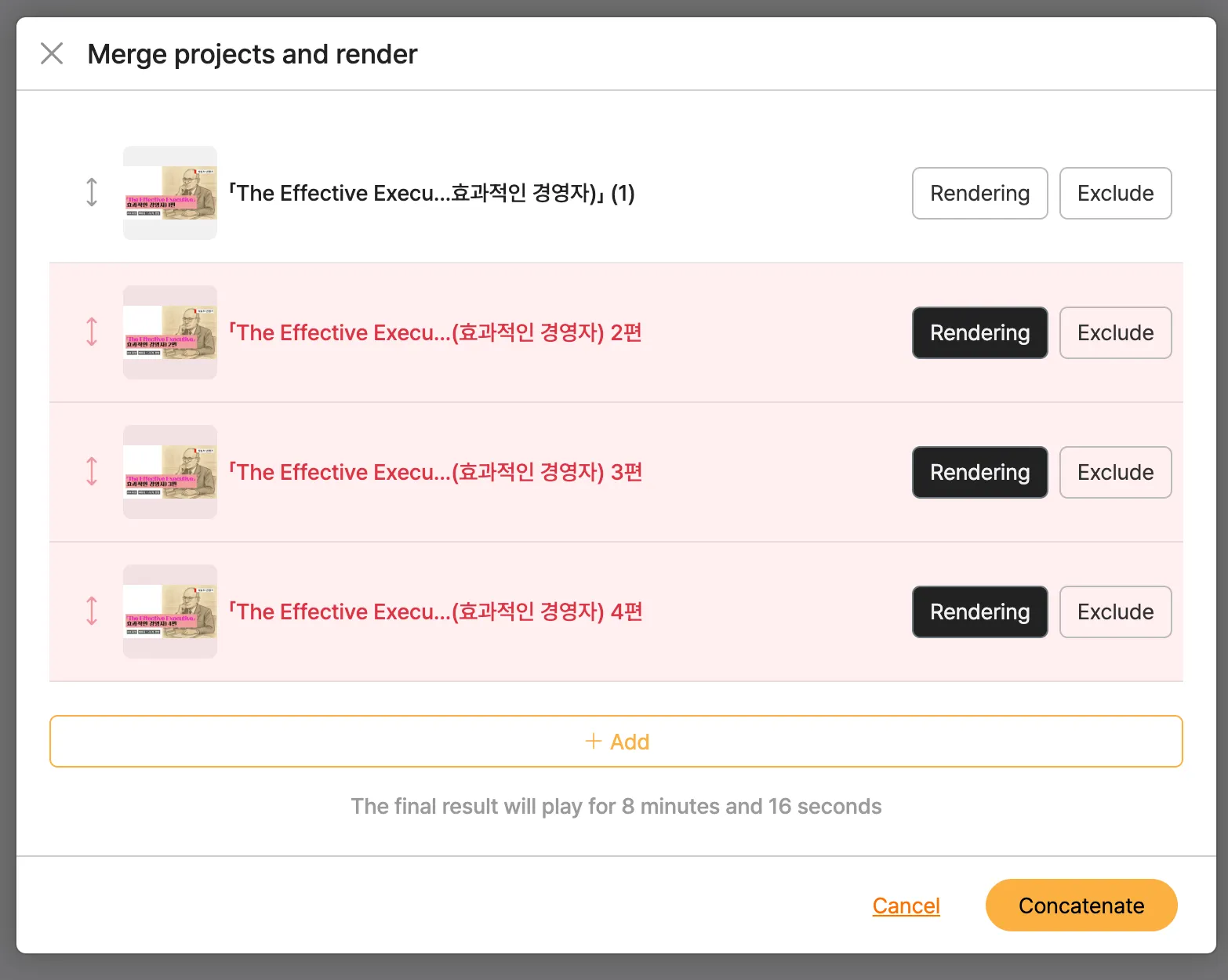
< Import Multiple Projects >
Once every project is rendered, the [Chain] button at the bottom of the screen becomes active. Clicking this button downloads the selected projects, in order, as a single MP4 file.
This feature is especially useful for tasks like the following:
- When you want to bundle several series / chapter videos into one complete file for upload
- When you need to combine projects edited under plan limits into a 12-hour long lecture, class, or webinar video
