Guide
Manage your own templates with Project Enjoy Finder
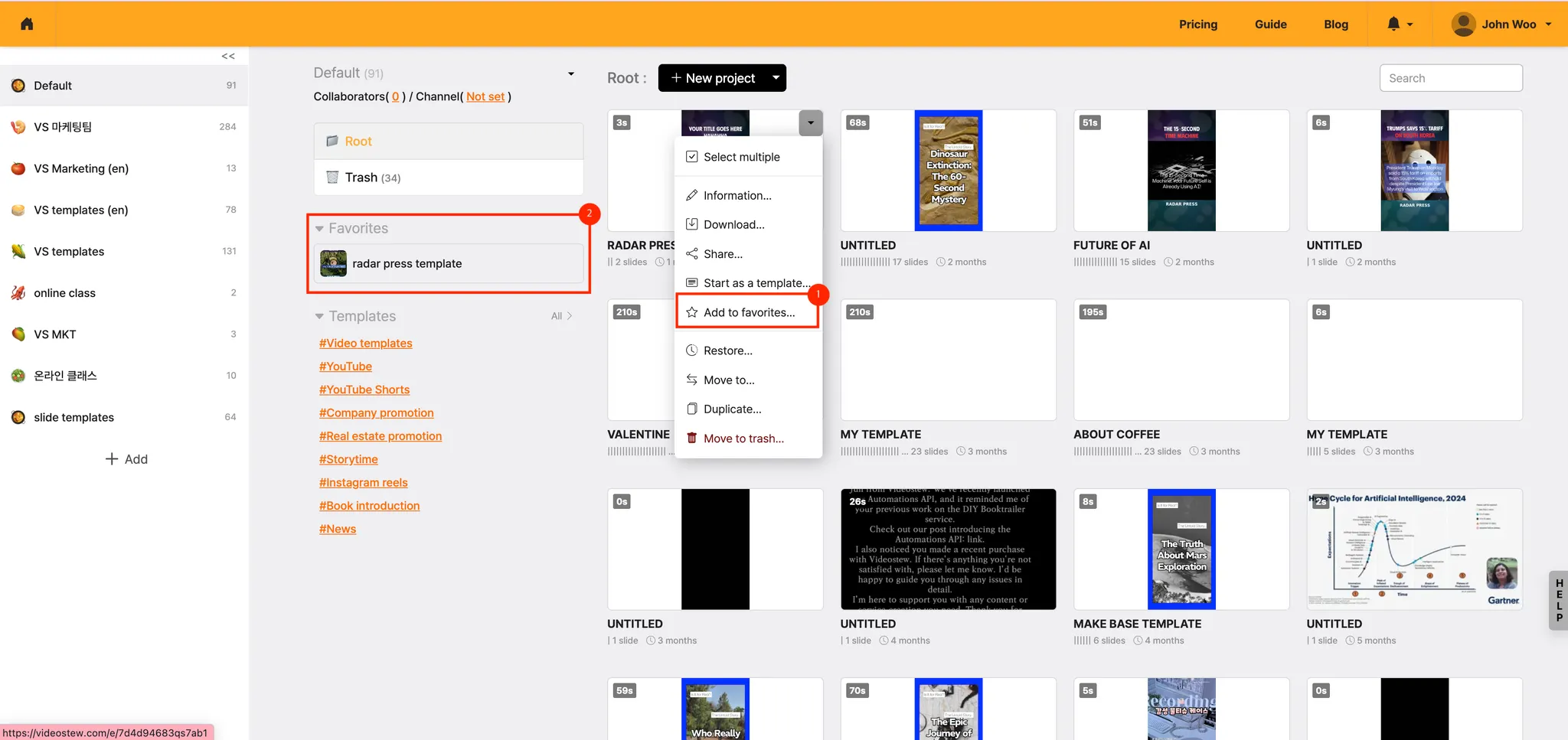
If you have created multiple templates, it's convenient to upload only the templates you use frequently to Project Enjoy Finder and use them like a “shortcut button”.
If you add Enjoy Finder from the settings menu of the project card, you can immediately create a new project with the Start with this template button from the Enjoy Finder area at the top of the home screen. You can add up to 20 items to Enjoy Finder.
Organize templates to upload to Enjoy Finder
First, collect only the projects you repeatedly use and organize them as “template projects”.
Example name)
- Template_Blog→Scene default layout
- Template_Lecture-style video
- Template_Book introduction scene (concise)
These projects are not for making final videos, but are the original templates you use repeatedly.
Add projects to Enjoy Finder
- On the home screen, click the settings button (▼) of the project card you want to write with a template.
- Select "Add to Overlay".
- The added project appears in the Find area on the home screen.
Tip. Since you can add up to 20 items to Favorites, it’s best to keep templates you use frequently every month/season in Favorites.
Instantly 'Start with this template' from Enjoy Finder
Enjoy Finder acts as a “template storage + shortcut key”.
- Check the Enjoy Finder area at the top of the home screen.
- In the new template project of the desired type, click Start with this template.
- The layout, font, color, and slide structure of the selected project will be imported as is; only the content will be replaced to create a new project.
Using this flow, you can start work with a single click in "Favorites → Start with this template" without having to go back through the entire project list.
