
Junwoo
2025-02-06 15:37:01
Behind
Finding the Balance Between AI and Creativity
🎓
Automated Real Estate Video Creation: How to Run a YouTube Channel Using Just Your Blog Posts
When chatting with real estate agents, we often notice a familiar pattern: blog posts are updated daily like clockwork, while their YouTube channels look like g...

🗞️
[Update] From Generating Images to Remixing and Video Creation—All in One Place!
Just double-click any image in the editor, and boom! You can now jump straight into four powerful AI actions.Create a completely fresh image based on your slide...
![[Update] From Generating Images to Remixing and Video Creation—All in One Place!](https://cdn.videostew.com/files/thumb/980c7babf-7x4chx14a)
🤔
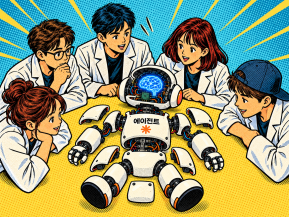
Building an AI Agent from Scratch: Let's Demystify the Magic!
In our previous post, Smart Token-Saving Hacks for AI Agents, we explored quick tips to cut down on tokens right away. This time, we’re peeling back the curtain...
🤔
Smart Ways to Save Tokens with AI Agents (Without Losing the Magic)
Must be nice if your company covers your token bills, but for a scrappy startup like ours, token cost-efficiency (or simply surviving the invoice) is practicall...

🤔
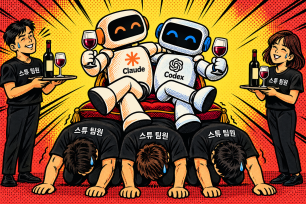
Setting Up the Dev & Ops Environment for Our Secret Agents 🚀
At Stew, we're sharing how we set up and utilize our environment for agent-based coding (while continuously supercharging our AI video editor behind the scenes!...
🗞️
[Update] Give Stock and Uploaded Photos an AI Makeover with 'Generative Edit'
You can now refine and reuse the images you already have—no need to toss them out and start over. With the newly added 'Generate Edit' feature, the image curren...
![[Update] Give Stock and Uploaded Photos an AI Makeover with 'Generative Edit'](https://cdn.videostew.com/files/thumb/274c0ca30-7wwu05ktr)
🎓
Why You Pick a Shorts Template, Make Three Videos, Then Never Use It Again
Search for Shorts templates, and you’ll find an endless supply of free options. But after downloading one and making about three videos, many creators find them...

🎓
Automating shorts is easy—getting them consistently great every time is the real challenge
If you search for shorts automation, you’ll find endless workflow tutorials that promise everything at once: script generation, images, voiceover, even upload. ...


Between Automation and Creativity
Over the past year, Videostew has focused on perfecting the 'essential editing features' that any video editing solution should have.
The challenge wasn't so much about developing these features. The perennial question we faced was, "How do we harmonize the efficiency of AI with the creative freedom of the editor?"
Though it was a tough question, we believe we've developed all our features while staying true to our principles.
Image/Video Matching Gets Smarter
Since the launch of Videostew, we've received a lot of feedback from users. "The video doesn't match the content at all."
It was an issue that lingered because most of the time, the videos matched well. However, to address the 5% of cases that weren't satisfactory, we sought help from AI technologies to improve the experience.
Now, AI doesn't just match keywords; it understands the overall flow and intent of the content to recommend media that fits the context!
For example, when the keyword 'coffee' appears, it doesn't just look for a coffee picture, but approaches differently depending on the video's vibe:
The Evolution of the Ken Burns Effect
While we do offer AI image generation features and the quality is excellent, the time it takes to generate these images can't be ignored. When a user creates a project, many elements, from AI voice to various materials, require time to generate. It wasn't an easy decision to make users wait even longer.
The image library available at Videostew is more than 10 times richer than the video library, filled with great images. However, effectively utilizing static images in videos has always been a challenge.
To make the most of this fantastic library for video matching, we designed the Ken Burns effect quite cleverly.
Our AI analyzes the key points of an image and creates natural movements. It considers the aspect ratio of the user's project, the aspect ratio of the uploaded image, or where the main subject is located to create the most appropriate motion.
But the more important thing is, if there's something you don't like during the preview, you can apply the effect you want yourself. (
It's one of the core values we always emphasize at Videostew.)Next Step: A Personalized Creative Environment
Like Jarvis for Tony Stark, our vision is for AI to act as your skilled assistant, understanding your work patterns and alleviating repetitive tasks, while leaving the important creative decisions to you.
We've got the basics covered, so now we aim to provide absolute convenience in terms of UX.
Features in Development for Enhanced Convenience
A Journey Together
As we developed Videostew, we constantly pondered the question: "How can we enhance an editor's productivity through AI while not restricting their creative freedom?"
Our answer to this question is clear:
Videostew has grown through the feedback and suggestions of countless customers. Your opinions aren't just feedback, they're the compass that guides our direction.
Videostew dreams of becoming an essential solution in your video editing workflow. Every day, we're working to improve the areas that need it to reach this dream.
That's why your feedback is always welcome!