
Junwoo
2026-03-30 09:17:20
University
Video-Editing AI: Now the Real Work Is Picking One — 3 Battle-Tested Criteria for Pros
🎓
Why You Pick a Shorts Template, Make Three Videos, Then Never Use It Again
Search for Shorts templates, and you’ll find an endless supply of free options. But after downloading one and making about three videos, many creators find them...

🎓
Automating shorts is easy—getting them consistently great every time is the real challenge
If you search for shorts automation, you’ll find endless workflow tutorials that promise everything at once: script generation, images, voiceover, even upload. ...

🎓
Before You Pick an AI Video Editor, Decide *What* You Actually Want to Make
When you read those “Top 5 AI video makers” listicles, they usually bundle all the trendy tools together, compare pros and cons, and highlight key features.But ...
🎓
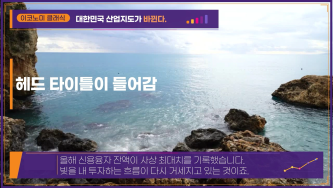
These days, I’m running Videostew with a little help from Claude Code
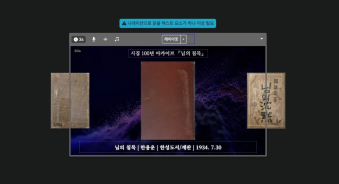
Recently, we landed a pretty big gig with our VX production service. To celebrate the opening of the Manhae Museum, we’re creating a full digital video archive ...
🎓
AI Video Creation Isn’t a Tool Problem: Where Creators Actually Get Stuck (and How to Break Through)
By the time you’ve landed on this post, you’ve probably read your fair share of “Top AI Video Tools” articles. You’ve seen everything from clip-generation servi...
🎓
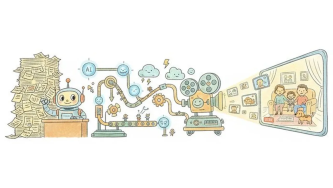
Why Your Newsroom’s YouTube Channel Is Packed with Articles—but Starving for Videos
When we talk with our media clients, we hear the same thing again and again."We opened our YouTube channel two years ago, but we still don’t even have 10 videos...
🎓
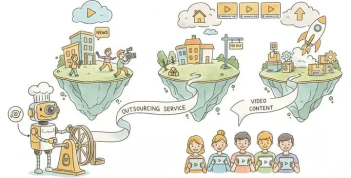
Before You Outsource Your Corporate Video, Read This First!
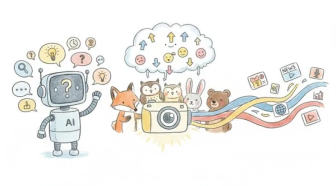
If you’re working as a marketer in a company, you’ve probably experienced moments like this: someone from the top casually says, “Shouldn’t we be doing YouTube ...
🎓
Are You Sure You’re Even Choosing the Right Type of “Free Video Site”?
You want to start making video content, but you’ve got no budget and monthly fees for paid tools feel a bit painful. So you search for “free video sites” and… i...

These days, the market is flooded with AI video-editing tools.
Sora, Veo, Runway, Kling, Vrew, Videostew, Canva, InVideo… the list is so long you’ll need an oxygen mask just to finish reading it.
And every single one claims, “We make videos with AI!”—but when you actually fire them up, they’re all… different. If you don’t know exactly what you need, simply choosing one becomes a part-time job.
This post is for anyone drowning in that confusion. Especially if you’re a doer who needs a “usable video” more than a “mind-blowing cinematic masterpiece,” read on to the last period.
We split AI video editors into two big buckets
The web- or app-based AI editors you bump into actually come in two completely different breeds. Mix them up and even the fanciest tool will feel like a square peg in a round hole.
Generative AI: “Make me a video that doesn’t exist yet”
This camp includes Sora, Veo-3, Kling, Runway, and friends.
Feed them a text prompt and—poof!—they spit out a short video clip. Sometimes the result is jaw-dropping, and in the ad or creative world they’re already pulling serious weight.
Have you seen Kling 3.0’s latest ad? Hollywood-level stunts performed by… nobody you’ve ever heard of. Wild stuff.
Real talk, though: landing the *exact* scene you pictured is still tricky. You need prompt-fu, outcomes can be a lottery, and forget about repeatable mass production.
If your vibe is “generate until I love it, then string clips together,” these tools are pure gold. But if you’re a journalist, marketer, or creator who needs ten fresh videos every single week… different story entirely.
Auto-Editing AI: Turn “Stuff You Already Have” into Video—Fast
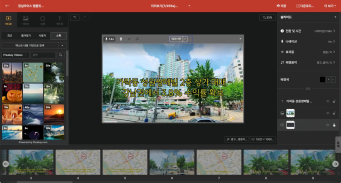
Think Videostew, Vrew, or InVideo. Drop in your text, images, or clips and—poof—get a polished video faster than you can microwave popcorn.
Instead of the jaw-dropping “wow” you get from generative AI, these tools deliver something better: sheer, day-to-day practicality.
Paste your blog post and boom—video. One script can instantly spawn a YouTube upload, a Reel, and a Short at the same time.
It won’t win an Oscar, but it will go live before your coffee gets cold.
Three Simple Rules for Picking an AI Video-Editing Tool
After chatting with reporters, creators, and marketers, I’ve spotted a pattern:
People pick the wrong tool because they chase “what’s hot” instead of asking “what do I actually need?”
Ask yourself the questions below and save yourself the headache.
Rule 1: How often—and how much—will you make?
If you only need a video once a month for a promo, start with generative AI. Pour in some time, craft one epic piece, enjoy the magic (until the 47th prompt tweak drains the fun).
But if you’re pushing 1–2 videos a week—or slicing one asset into every channel format—auto-editing AI is the reliable workhorse you want.
Rule 2: Does brand consistency matter to you?
Whether it’s corporate marketing, educational content, or newsroom videos, there are times when you need the finished piece to scream, “That’s so on-brand!”
Generative AI can be tricky here, because every run can feel like a box of chocolates—same prompt, totally different style. 🍫
Template-based video AI, on the other hand, locks in fonts, colors, and layouts so tightly that even if you crank out 100 videos, they all stay in the same visual lane. Consistency? Nailed it.
Checkpoint 3. What assets are you starting with?
"I’ve got absolutely nothing and need a video from thin air" → generative AI is your genie.
"I already have a blog post or script and just want it turned into a slick video" → an automation-first editor like Videostew will save you hours (and sanity).
Here’s how I actually roll
Because I run Videostew, I end up road-testing every shiny new AI that drops. Each fresh result still makes me go "whoa."
But in real campaigns, wow-factor fades fast; what matters is cranking out content that feels the same high quality, same vibe, every single time.
So instead of treating generative AI as a one-click “ta-da!” machine, I use it as a resource factory. Need a single hero clip or a killer thumbnail? I generate that asset, then drop it into Videostew for the final polish. Best of both worlds: brand-new visuals without ever losing the brand look.
And because Videostew has built-in AI image generation, I can often skip external tools entirely and whip up whatever visuals I need in one tab. 🎬✨
In other words, you sketch out your script in text, let the AI whip up the visuals, and then—boom—everything drops straight into your timeline, all inside one seamless workflow. Once we roll out full AI-generated video, this flow will feel as natural as pouring cereal (minus the milk).
So the real question isn’t “Will AI replace me?” It’s “How fast can it hand me the Lego bricks I need?”
That’s where Videostew shines. It bundles all those bricks into a final build that always feels unmistakably yours. Outcomes may vary, but the vibe and production style stay rock-solid.
We’re especially boss at turning text into video. Paste a blog URL and we’ll auto-cut scenes, add AI images, dub in AI voices—voilà, upload-ready in minutes.
Generating an entire long-form video with AI alone is still pricey and clunky. But with a workflow-first tool like Videostew, you can crank out multiple clips a day—today.
Stop asking “Which AI is best?” Start asking “Which AI fits my workflow?”
The biggest trap when choosing video-editing AI is the spec-sheet rabbit hole. “4K support!” “Voice cloning!”—you’ll forget what you actually need to ship tomorrow.
Just ask yourself three simple questions:
How often do you need to create? / Want your brand voice to stay 100 % consistent? / Wondering what raw assets you actually have lying around?
Once you nail those answers, picking the right AI video editor becomes way easier than swiping right on a dating app.
Curious if Videostew is your perfect match? Skip the small talk—try it free. One spin beats a thousand sales pitches, every time!