Guide
Global Background Music
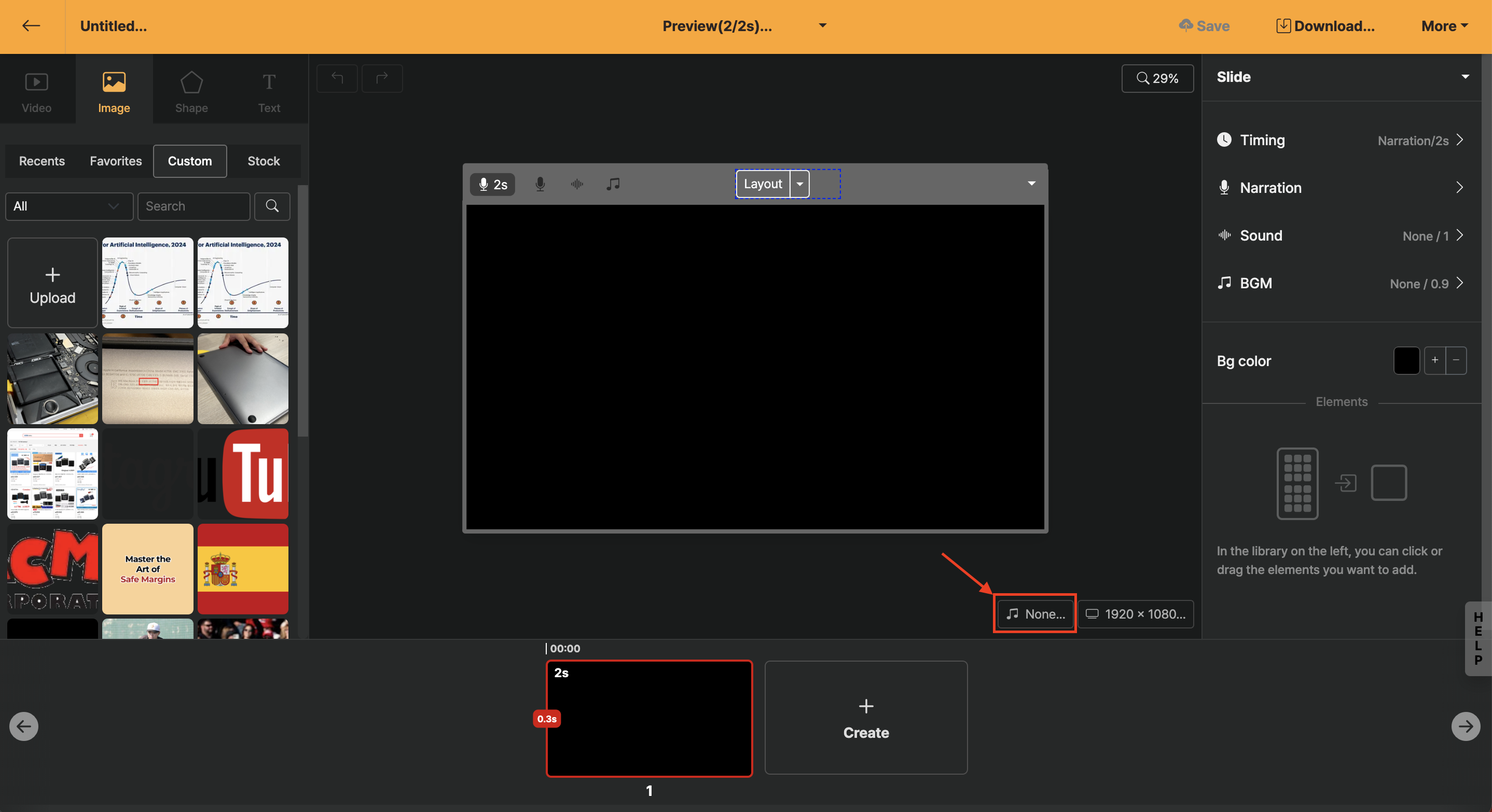
Global background music lets you set music that plays by default throughout the project, and it is designed to fade in/out automatically at the beginning and end.
The music applied to the whole project can be accessed via the background-music icon at the bottom of the stage area. If you want different background music on only some slides, please refer to the Slide Background Music guide.
Background Music Selection
Clicking the [All] button allows you to set categories by genre and mood; it's convenient to make a selection while previewing by holding the mouse over it.
Background music produced in-house by Videostew has been newly added. Original music tracks can be included in your videos and uploaded to YouTube without adding a YouTube channel address to your workspace.
If you are using music from our existing partner service, SellBuyMusic, please add your YouTube channel address to your working workspace first. For detailed instructions, please refer to 유튜브 채널 추가 안내.
Volume Adjustment
Background-music volume can be changed globally through [Global Volume]. Generally, when AI voice is applied, setting it to 20 % works well. Use Preview to watch the narration and adjust the volume appropriately.
Similar Style Search (Similar Track Search)
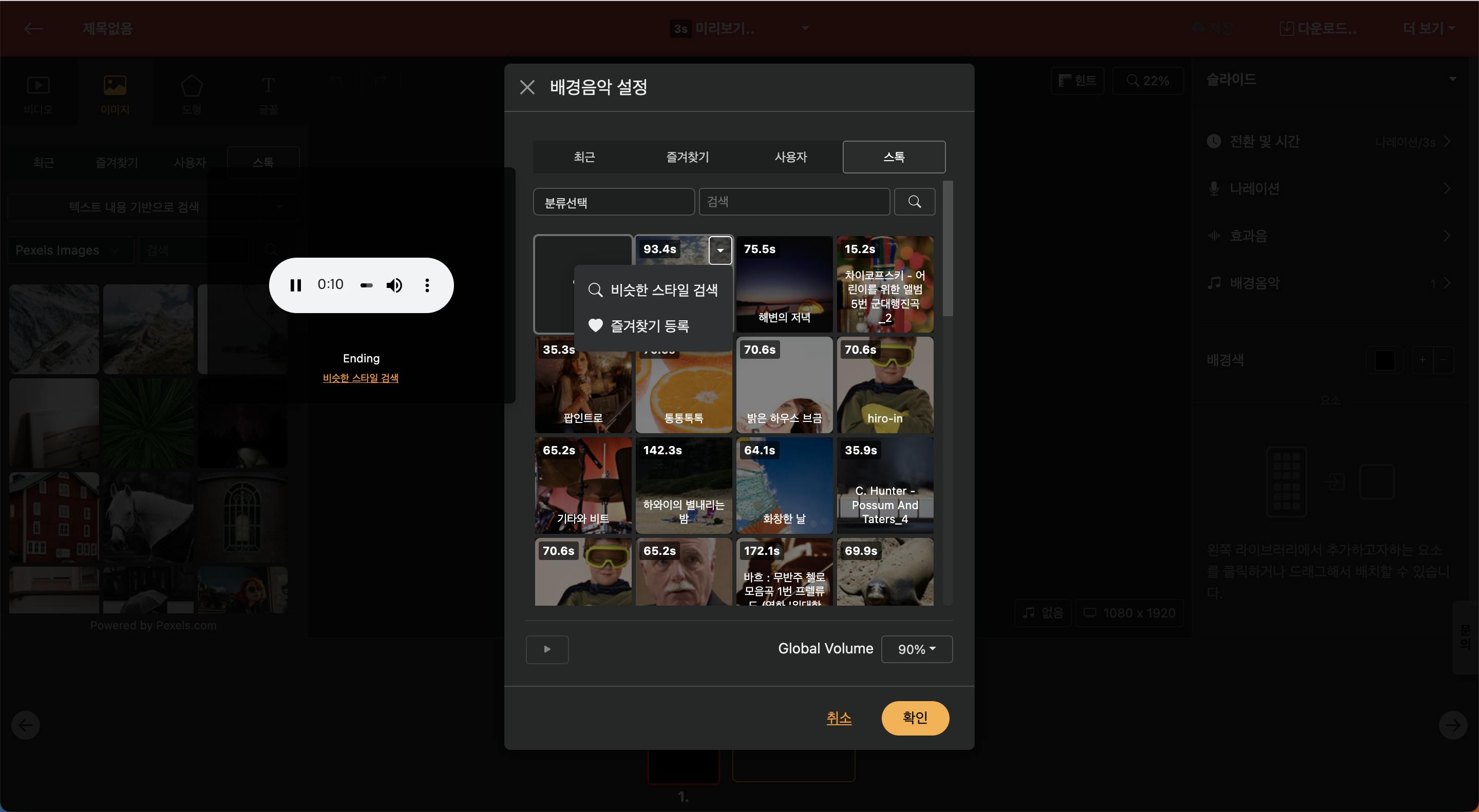
Hovering the mouse over the music and pressing the settings (▼) button reveals a "Similar Style Search" option. This feature allows you to receive recommendations for tracks that are similar to the music you are currently listening to.
View Detailed Sound Information
Selecting the music title next to the play button will provide detailed information about the sound, and the text can be copied.
