Guide
How can I check how much credit time I used?
Click the nickname on the video download pop-up or home screen to see the remaining credit time.Check credit usage in the video download menu
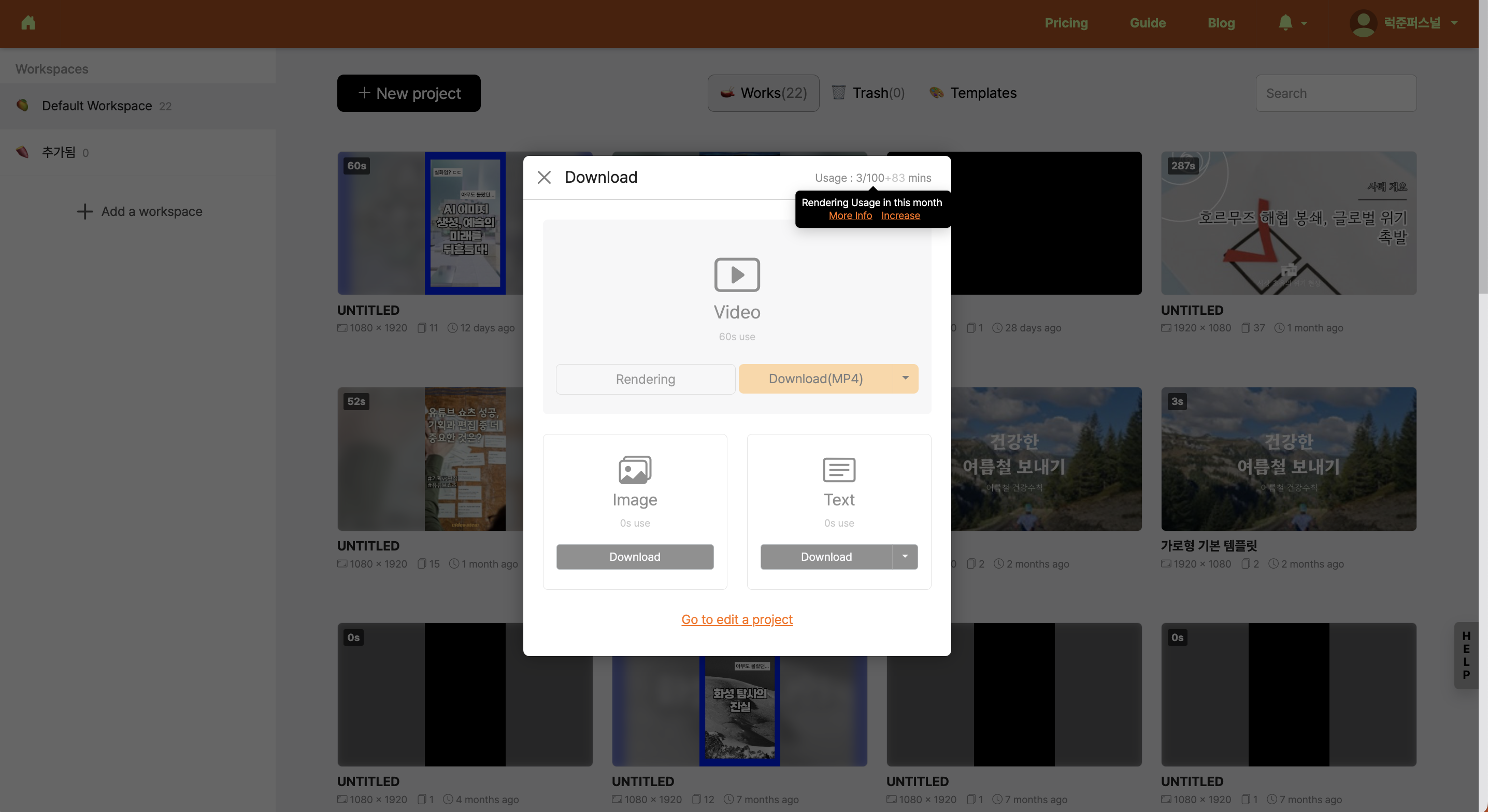
Videostew renews credits on the 1st of each month and provides the total credit information available for that month. Also, unused credits from the previous month (indicated with '+number') can be carried over and used.
Check nickname creation time in the usage summary
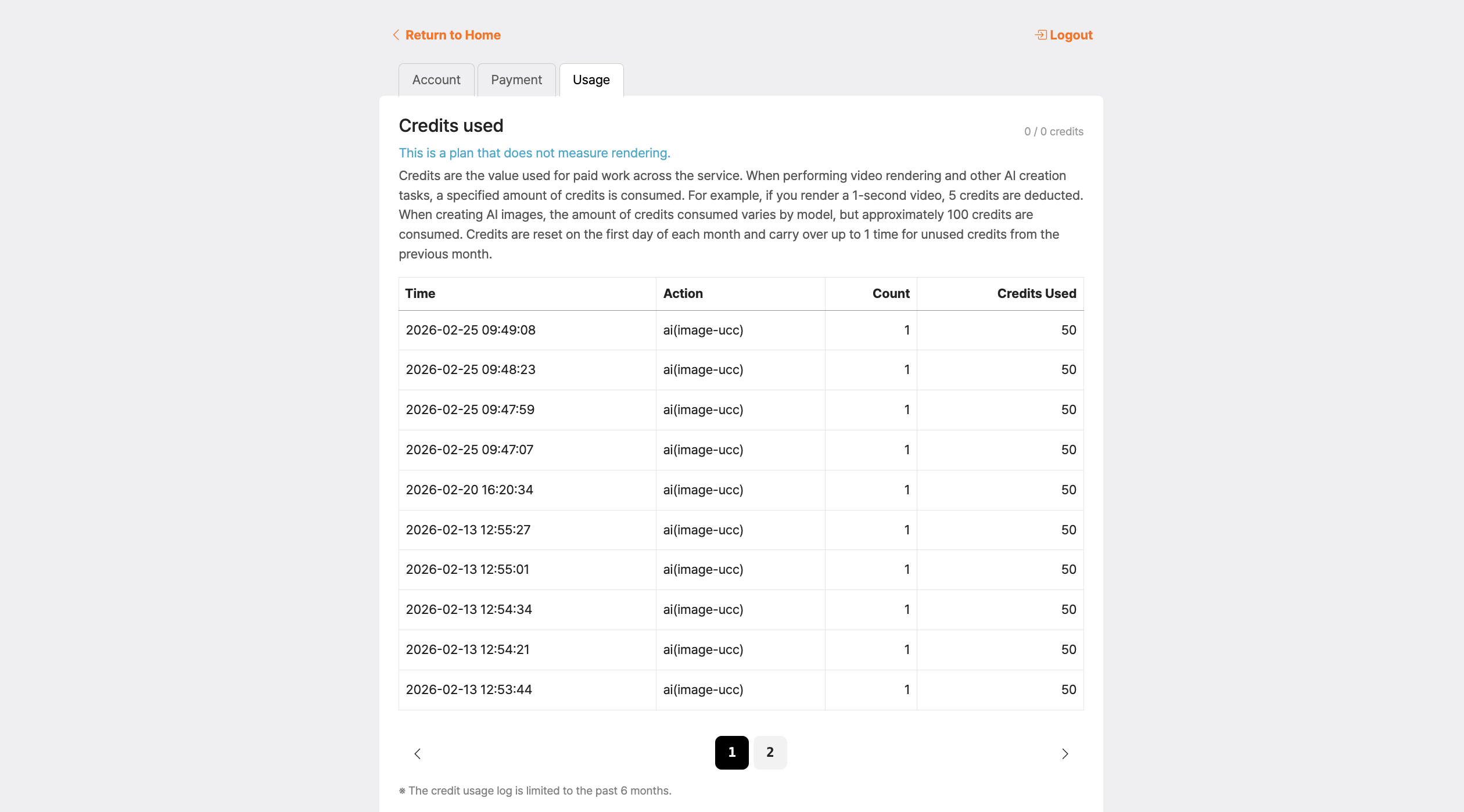
Click your nickname on the home screen and check your credit usage status in [Account & Billing > Usage Summary].
Remaining credits are displayed in red
The remaining credit number turning red is a signal that you have used more than 80% of your total credits available this month (base credits + monthly credits), leaving very few credits.
- If you see red, it means your remaining credits have dropped below 20%. If you wish to continue working, please consider upgrading your plan.
- Monthly credits (displayed as '+number') are used after all base credits are consumed, and they expire at the end of this month without rolling over to the next month.
