
Junwoo
2026-07-02 15:37:40
University
Before You Pick an AI Video Editor, Decide *What* You Actually Want to Make
🎓
Why You Pick a Shorts Template, Make Three Videos, Then Never Use It Again
Search for Shorts templates, and you’ll find an endless supply of free options. But after downloading one and making about three videos, many creators find them...

🎓
Automating shorts is easy—getting them consistently great every time is the real challenge
If you search for shorts automation, you’ll find endless workflow tutorials that promise everything at once: script generation, images, voiceover, even upload. ...

🎓
Before You Pick an AI Video Editor, Decide *What* You Actually Want to Make
When you read those “Top 5 AI video makers” listicles, they usually bundle all the trendy tools together, compare pros and cons, and highlight key features.But ...
🎓
Outsourcing AI Video? Before Getting a Quote for Just One Video, Ask Yourself: "How Many Will We Need on Repeat?"
Whenever people reach out to us about outsourcing AI video production, their first message is almost always the same. It pretty much boils down to: “So... how m...

🎓
These days, I’m running Videostew with a little help from Claude Code
Recently, we landed a pretty big gig with our VX production service. To celebrate the opening of the Manhae Museum, we’re creating a full digital video archive ...
🎓
AI Video Creation Isn’t a Tool Problem: Where Creators Actually Get Stuck (and How to Break Through)
By the time you’ve landed on this post, you’ve probably read your fair share of “Top AI Video Tools” articles. You’ve seen everything from clip-generation servi...
🎓
Why Your Newsroom’s YouTube Channel Is Packed with Articles—but Starving for Videos
When we talk with our media clients, we hear the same thing again and again."We opened our YouTube channel two years ago, but we still don’t even have 10 videos...
🎓
Before You Outsource Your Corporate Video, Read This First!
If you’re working as a marketer in a company, you’ve probably experienced moments like this: someone from the top casually says, “Shouldn’t we be doing YouTube ...
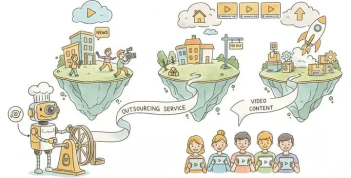

When you read those “Top 5 AI video makers” listicles, they usually bundle all the trendy tools together, compare pros and cons, and highlight key features.
But there’s one crucial thing those listicles almost never tell you: what kind of tool you’re actually looking for.
Running Videostew, we talk to a lot of potential customers. Even when people start with the same question—“Can you recommend an AI video creation program?”—it only takes a short conversation to realize they actually want completely different things.
Some want to create flashy, cinematic clips. Others want to turn hundreds of weekly news articles into videos as efficiently as possible.
Those two needs require entirely different categories of tools. But both types of people search with the same keywords, end up on the same listicles, get frustrated… and then call us.
So this post is not going to be yet another “Top 5 AI video tools” list. Instead of just dropping a bunch of tool names, we’ll walk through the actual types of AI video creation programs out there—and which direction makes sense for you.
Once you get this part, picking a specific tool is surprisingly easy.
AI video creation tools fall into three main types
AI video creation programs generally fall into three big categories:
And the value you get from each category is completely different.
First, generative tools. These are tools like Veo, Sora (시댄스), and Kling.
You give them a prompt like “a man in a black jacket runs toward the camera,” and they generate a scene that’s never existed before. They’re incredibly powerful when you need “never-before-seen visuals” for things like an ad shot or a music video scene.
But each and every clip is basically a roll of the dice. Even with the exact same prompt, results change every time, so it’s totally normal to run it 10 or 20 times just to get a single 5‑second segment you actually like.
One tip: for your own sanity, it really helps to approach this with a mindset of “good enough is great enough.” A little bit of compromise goes a long way for your mental health.
I’ve compared all the individual models provided by services with APIs like VEO, Seedance, and others.
< Quality comparison of major AI video generation models >
Considering generation cost, quality, and speed all together, my personal recommendations are veo-3.1-fast, Seedance 2.0-fast, or Seedance 1.5-pro.
Second, the “conversion” type turns existing text into video. If you feed it content where “what you want to say” is already fixed—like articles, blog posts, scripts, or press releases—it will generate a complete video with subtitles, narration, and visuals.
Videostew, Lumen5, Pictory, and Fliki fall into this category. If you need informative videos or content you can post regularly on your channel, this is the type you should be looking at.
< Example of a Videostew template – you can design and edit every element yourself, then reuse it >
With Videostew, you can freely set up your design just like in PowerPoint, then use that as a template and simply swap out the content. While you do that, the AI automatically fine‑tunes all the extra details, so you end up with a polished final video without having to micromanage every frame.
Lastly, the third type is the editing-focused tools. Think of Filmora, Vrew, or CapCut: you already have footage, and you cut it, add captions, tweak colors—and then AI comes on top to help. If your main job is to take raw footage and polish it up, this is where you belong. With features like automatic subtitles, AI can even help with a big chunk of your editing work.
Traps beginners fall into (over and over again)
The most common disaster here? Someone who really needs a "conversion" tool ends up wrestling with a "generation" tool.
For example, you need to upload a news-style video every single week, but you’re in Google Flow generating each scene one by one. At that point, quality isn’t even the main issue—the work just never ends.
On the flip side, if you need one single, super-impactful visual for a special piece and you only use a conversion-type tool, the result will feel flat and underwhelming.
In other words, you have to start by choosing the right type of tool. It’s the same reason we always say you need to distinguish between different types of free video sites before you dive in.
Are you making just one video—or making them nonstop? That’s the real fork in the road!
Once you’ve picked the type of video you want, the next question is this: “Is this a one-off, or am I going to make these regularly?”
When choosing an AI video editor, the most important factor is whether it can handle that future repetition.
If it’s a one-time project, almost any tool will do. You can wrestle with a free tool for days as long as you get the final result. The real challenge appears when you need to “keep making” videos.
In that case, one flashy feature matters far less than questions like: Can it keep the quality consistent? How much time does it take per video? Can it process 100 videos in one go?
This is exactly what most comparison lists don’t talk about. They focus on “How pretty can one video look?” instead of “Will this still work smoothly when I’m producing 100 videos?”
For example, a free tier might cap you at 5 minutes in 720p per month, or maybe every single video needs manual approval by a human. Those things don’t look like a big deal when you’re making just one video. But the moment you try to build a video production workflow for your company, they suddenly show up as serious bottlenecks.
Here’s something we learned while working with media clients: in video automation, the real cost isn’t the generation itself—it’s the human time involved. That’s why the key question becomes not “How smart is this program?” but “How much less manual work do I have if I use this?” This is our own internal standard, but if you’re planning repeated production (i.e., an automated video workflow that runs on its own), we strongly recommend evaluating tools from this perspective.
The real cost isn’t “monthly subscription” but “cost per video”
The real cost of an AI video editor isn’t the monthly subscription fee—it’s how much you’re actually paying per video.
Most comparison posts just line up prices like “9,900 KRW/month” or “$20/month” and stop there.
But run the numbers once, and the picture changes. If you pay 20,000 KRW a month and create 4 videos, that’s 5,000 KRW per video. Use that same tool to make 40 videos in a month, and suddenly it’s only 500 KRW per video.
Generative tools usually burn through credits, which means every time you regenerate a single cut, you’re literally spending money. If you redo the same scene twenty times until it finally looks right, the cost per scene shoots up fast.
That’s why I always suggest starting with one question: "How many videos do you plan to make in a month?" Decide that first, then work backwards to calculate your real cost per video. If you only look at the subscription fee without knowing your actual output, the tool that looks cheapest might turn out to be the most expensive option. (The reverse happens too. Some people pay for pricey automation tools and end up making just one video…)
For reference, when clients fully outsource video creation to us, we charge by the minute. Our Knowledge-to-Video service starts at 7,000 KRW per minute. If you compare that with making videos yourself, it becomes much easier to factor in the value of your own time and make a clear decision.
So where does Videostew fit in this landscape?
Videostew is a conversion-type tool. You feed it text or an article, and it turns that into a full video with subtitles, narration, and visuals. We did build it ourselves, so sure, we might be a bit biased—but let’s put that aside and be as honest as possible about what it’s great for and where it’s not the best fit.
Videostew works best for people who already have "something to say"—in writing.
If you’ve got articles, blog posts, scripts, or press releases, you can simply drop them in. Each slide automatically gets AI voice narration, and matching AI-generated images are created for your scenes as well. A written idea turns into a watchable video—without you having to stare at a blank timeline for hours. 😄
Even if you don’t know any image or video generation prompts, our tool simply reads your subtitle text and creates the images for you. You can also bulk-generate multiple slides at once, walk away, and come back to a fully filled project. When you’re dealing with a lot of videos, that’s a lot fewer clicks and a lot less headache.
If your ideas are already stacked up as text content, we recommend checking out the workflow that turns text into video. It’s a game changer for blogs, newsletters, reports—basically anything made of words.
Of course, there are cases where this approach isn’t the right fit. If you need a "one-of-a-kind, never-before-seen cinematic frame," Videostew is not the magic button you’re looking for.
For movie-like, ultra-cinematic scene generation, pure generative tools are a much better choice. Videostew also has AI video generation, but its purpose is to naturally layer short background footage that matches your slide content—not to craft meticulously directed hero shots. If what you need is the latter, you should definitely look at a different category of tools.
And one more thing. With Videostew, if you don’t like the result, you can immediately open the editor and tweak it—just like fixing a PowerPoint slide. Unlike pure chat-based generation, where you keep typing “do it again” and hoping it improves, here you can see exactly what feels off and directly fix just that part.
Automation handles the bulk, and humans put on the final polish. That blend is exactly why creators who make videos repeatedly tend to end up coming back to Videostew.
Frequently Asked Questions
Q. So, which AI video creation program should I actually choose?
Start by deciding what kind of content you want to make. If you want to create scenes that don’t exist yet, go with generative tools (like Pika, Stable Diffusion for video, Kling, etc.). If you want to turn existing text—articles, scripts, blog posts—into videos, choose a conversion tool (like Videostew, Lumen5, and similar). If your main job is polishing footage you’ve already shot, you’re in the editing camp (Filmora, Vrew, and so on).
If you’re only making a single video, free tools are usually enough. But if you’re planning to create videos regularly, pick a tool that makes repetitive work painless—your future self will thank you.
Q. Is a free AI video editor really enough?
If you’re only making a single video and that’s it, a free tool can be totally fine. But most free tiers come with strings attached—watermarks, resolution caps, or monthly usage limits (e.g., 5 minutes per month at 720p). Before you pay for anything, you should first check whether these limits will block what you want to do. If you’re planning to upload several videos every week, you’ll hit those free limits faster than you think.
Q. Can I automatically turn articles or blog posts into videos?
Yes. That’s exactly what “conversion-style” tools do. With Videostew, you just paste in the article URL or text, and it automatically creates a full video for you—subtitles, AI narration, and visuals included. Media companies and content teams that publish text every week love this workflow because it turns existing writing into new video assets with almost no extra effort.
Q. If I make a lot of videos every month, how much will it cost?
The easiest way is to take your subscription price and divide it by the number of videos you produce—think in terms of cost per video. For example, if you pay 20,000 KRW a month and make 40 videos, that’s just 500 KRW per video. If you don’t have time to edit yourself and outsource the work, you’ll usually be charged per minute of finished video. For our video production service, prices start at 7,000 KRW per minute. (Our SaaS is 230 KRW per minute.)
One last thing
Surprisingly many people never get started because they can’t choose a tool—or they quit halfway because they picked the wrong one. In most cases, 90% of that confusion comes from not deciding what you’re going to make and how often you’re going to make it. Once you’re clear on those two points, the right tools almost pick themselves.
If you’re thinking, “This tool looks powerful, but I’m not sure it fits my content,” the fastest test is simple: just drop in a real piece of your own writing and see what happens.
Signing up and pasting your text takes about five minutes, and after watching just one finished video, you’ll instantly feel whether this workflow suits you or not. Try creating a video yourself with Videostew.