Guide
Transform Based on Image
If you want to keep the composition or subject and only change part of it, select Transform Based on Image. Just write down the parts you want to change, such as "Change background to night", "Change Korean model to a foreign model", or "Change to a winter scene with the same composition".
At the top of the Editing Window, you can also select a style. 원본 스타일 maintains the current image's art style, and choosing one among Photo, Digital Art, Vector, Editorial Cartoon, Newspaper Illustration, or Silhouette will redraw it in the selected art style. For art styles not on the list, you can write them directly in 사용자 지정.
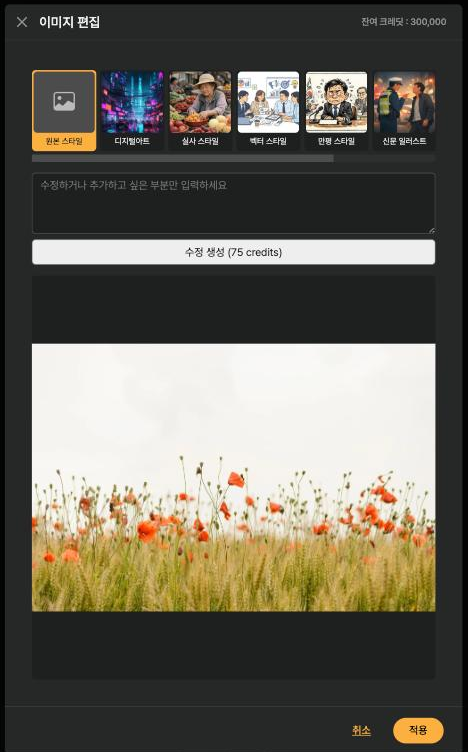
< Style Picker in the Image Editing Window >
You can leave the edit prompt blank. If you generate just by changing the style, you can change the art style while maintaining the composition and subject. However, due to the nature of generative AI, people, logos, small text, and detailed compositions may change, so please check the result.
You can use this not only for AI-generated images, but also for uploaded photos or stock images. The original is not overwritten, and the result is added as a new library item.
